Candy Dialogue Engine
All-In-One Dialogue System, Visual Novel Engine, Media Synchronizer, Cutscene Orchestrator, Narrative Manager, Mod Support Solution.
Standing at the endgame of dialogue managers, Candy Dialogue Engine was designed to achieve five core goals:
- Make dialogues fast and simple to write.
- Adapt to any game type or genre.
- Provide or support any features developers may need.
- Make dialogue synchronization with game events easy.
- Allow full code and UI customization.
To that end, it combines the usual tools you need for speech and narrative crafting, plus more:
- Different dialogue modes with various settings and options: dialogue box with portrait, subtitles, speech bubbles, chat box…
- Voiced dialogue support.
- VN busts and background image display, animation and control.
- Full UI customization, with no scripting required.
- Branching dialogues: conditions and loops.
- Call functions and emit/await signals.
- Player choices and input prompts.
- Media playback controls.
- Variable modification and display.
- Cutscene scripting (node controls).
- Gendered word substitution (or based on other attributes)
- Gendered and random speech variants (expandable to other attributes).
- Lexicon (Glossary).
- Localization/Translation features.
- Compatibility features for Text-To-Speech and LLM-generated dialogue.
- Dialogue live edit at runtime, parallel dialogues, dialogues as a modding / programming layer, runtime variable declaration.
- Fully accessible and extendable code.
- Standalone dialogue editing GUI with simple ‘click to add line, fill in data, don’t type syntax’ approach.
Candy Dialogue Engine is made for beginners and experts, hobbyists and professionals alike: simple for simple projects, advanced features available for advanced needs, unlimited potential as to never hold you back, and intelligently crafted to maximize productivity and efficiency. The companion Candy Dialogue Creator GUI even makes it ideal for teams, with various features to help separate tasks, compartmentalize access to project files and merge work.
But this just scratches the surface — Candy Dialogue Engine goes much deeper with every feature:
Please note: screenshots on this page are provided for illustrative purposes. As such, they may include ai-generated art assets, such as characters and backgrounds, overlaid with UI elements using Candy Dialogue Engine’s capabilities. Depicted art assets are not included with Candy Dialogue Engine.
Ease Of Use
Let’s get this out of the way first: despite how advanced Candy Dialogue Engine is, it remains incredibly simple to use.
Installation? Drop files in your project folder → Run a script → Done. It’s now ready to use with default presets.
Dialogue writing? Click to add lines → Input relevant data. Minimal typing, convenient data lists, no special formatting, and much more for a fast workflow.
Testing dialogues? Click “Test” → Alt+Tab to Godot → Run.
Final export? Open the Export menu → Enter a file name → “Confirm”.
Coding? None to hardly any*.
Any coding would be limited to personalizing optional hook functions to better integrate some features with your own game logic, adding custom behavior to UI elements, or creating your own self-made features. As an example, if you can implement game state tracking in your project, then editing the function that modifies game state when dialogue starts or ends is trivial.
*Writing conditions and assigning variables not included — let’s be serious, that’s just glorified algebra.
Scaling Complexity
What makes Candy Dialogue Engine a great choice for any game and for developers of any experience level, is the fact that it never gets more complicated than your own project.
• For basic needs, Candy Dialogue Engine is as simple as can be and essentially holds your hand: all the standard dialogue features are straightforward, working as you’d usually expect, and default UI elements are provided so you can use the engine out-of-the-box.
• For more advanced features, learn-as-you-go: focus only on the features you use and ignore the rest. When you start configuring things to fit your needs, Candy Dialogue Engine guides you without restraining you beyond reason.
• And if you want to do serious customizing, you have complete freedom: add logic to UI elements beyond their standard functioning, design complex hook functions, or go as far as adding or modifying code in the engine itself.
Documentation is provided for every feature and option, and the engine logic is a fine-tuned machine. If something ever feels hard, it’s probably because you’re trying to do something hard.
Simple Structure
Dialogue scripts are split into a straightforward hierarchy: Dialogues → Conversations → Blocks → Lines.
The engine iterates through Lines in order, performing what they’re designed and configured to do, and transitioning between Blocks and Conversations as instructed.
Want to modify variables, call functions or emit signals? Just insert the corresponding Command Lines between Spoken Lines! Candy Dialogue Engine gives you complete game state control from within dialogues with just a few commands!
No programming required, and no syntax to memorize: just create Conversations and Blocks, add Lines, and fill their data fields as needed.
Your Style
Whether you want an RPG dialogue box with portraits, visual novel busts, a chat box format, comic book speech bubbles, subtitles, voice only, or maybe your very own custom style: display dialogues any way you like!
Portraits are versatile too: display the standard static images, or use animated portraits with Sprite2D/3D or AnimatedSprite2D/3D nodes. Or play video portraits with a VideoStreamPlayer node!
And nothing is stopping you from displaying a live close-up of an animated character in the portrait box if you’re crafty.
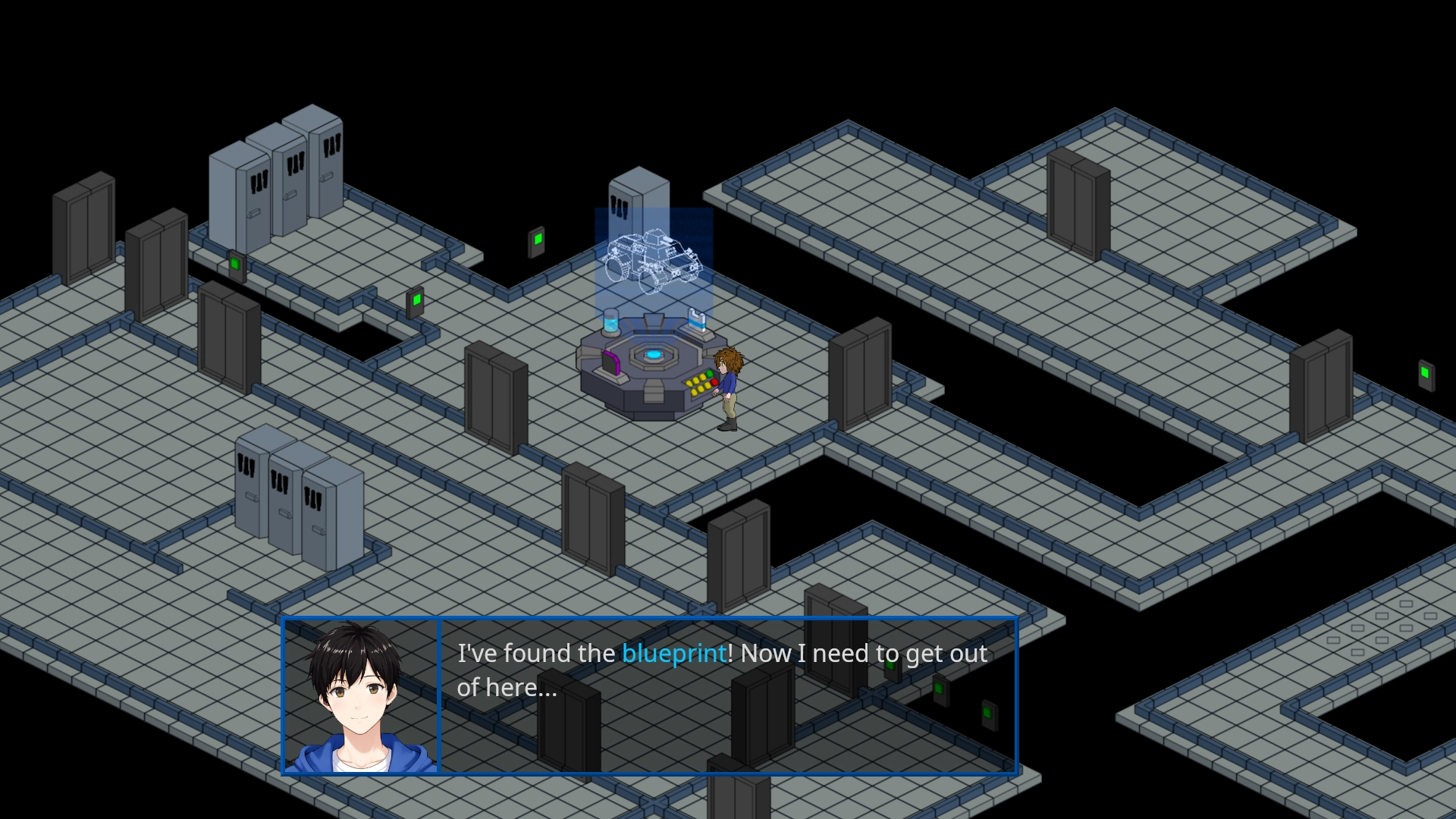
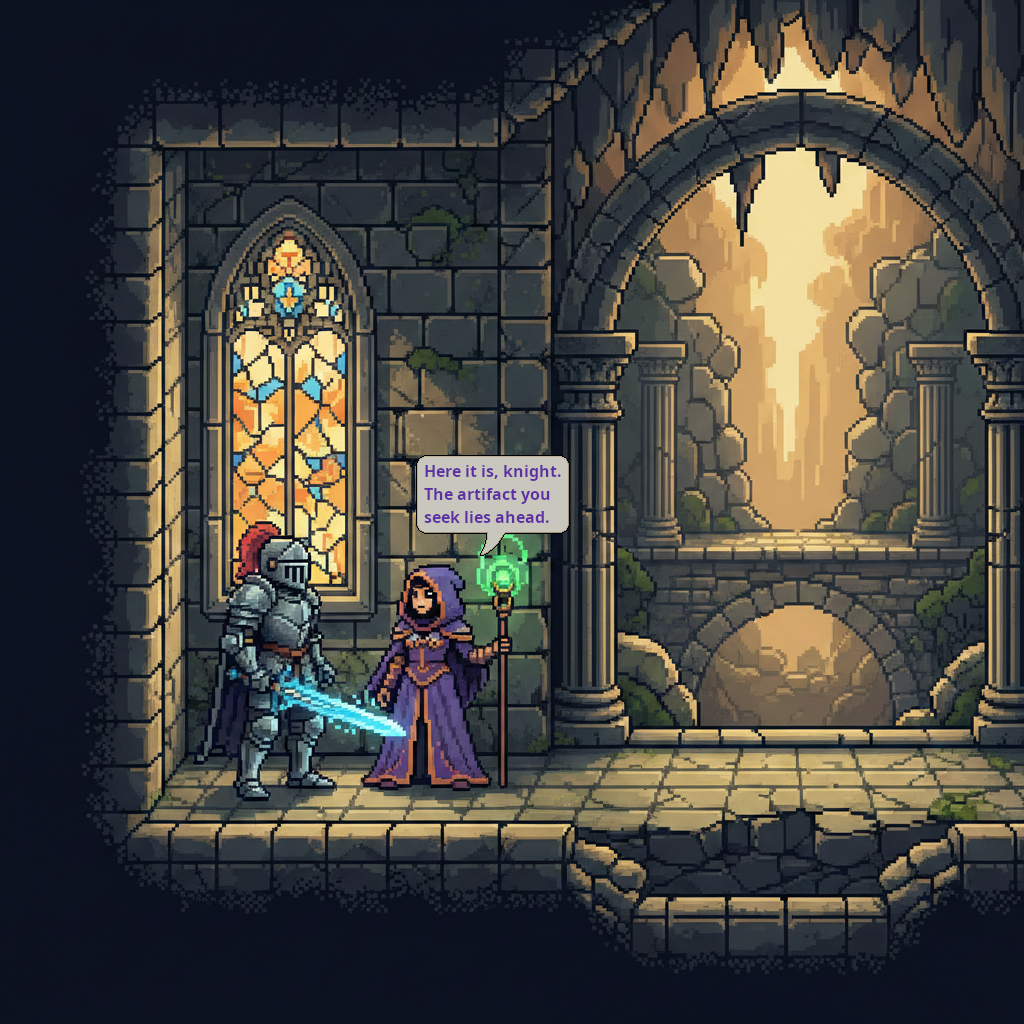
How about a hybrid VN mode, with busts for NPCs and portraits for the player, for a more immersive feel? That’s included!
Does Candy Dialogue Engine feature a progressive writing (typewriter) effect? You bet, with optional ‘press key to instant display’ and ‘hold key to speed up/down’!
Custom text colors for different characters? Yes, and other custom BBCode formatting too!
Automatic progression? Of course, with customizable timer or synced to voice playback! We don’t do things halfway around here.
Your UI
When we say ‘customizable UI’, we mean it: whether it’s the dialogue box, speech bubbles, background displays or anything else — every UI element can be designed your way, from position on screen, to size, to themes and styles, and even to the node structure itself!
The process is incredibly simple:
1. Select a root node.
2. Attach the appropriate UI script among those provided.
3. Add the one or two child nodes that Candy Dialogue Engine requires.
4. Assign the nodes to the pointer variables in the script.
Done. Feel free to add any additional nodes you want for any purpose, and use the node hierarchy you like.
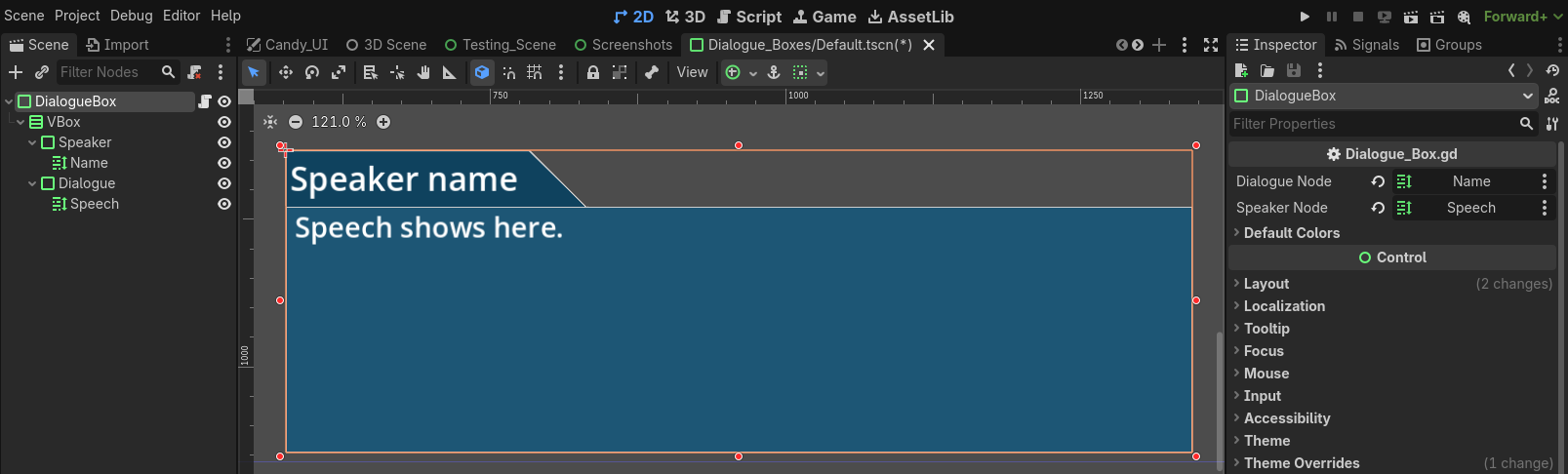
You’re also not limited to just one style: you can design multiple variations for each UI element, and swap them dynamically at runtime!
Default UI elements are provided so you can jump in immediately, and are kept simple so you can easily expand them in any manner you want. The default UI scripts contain hook functions, which the engine calls at various points when it uses UI elements, making it trivial to trigger custom logic in your UI throughout dialogue.
Visual Novels
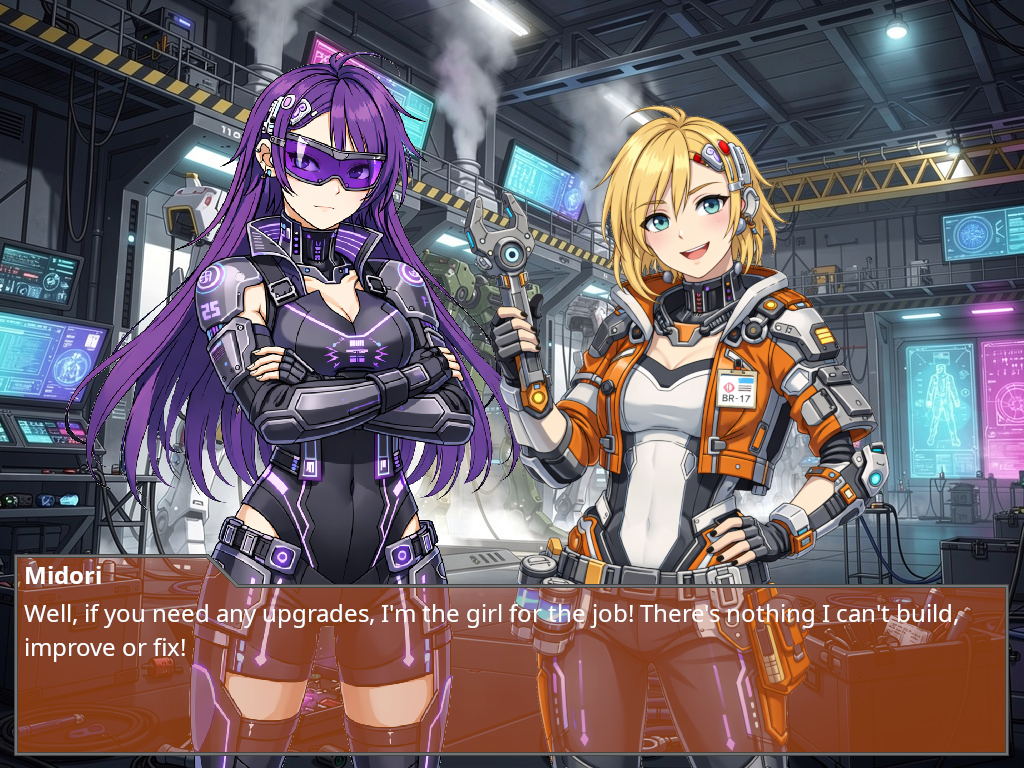
If you’re making a visual novel, Candy Dialogue Engine provides a full panel of commands to manage character busts.
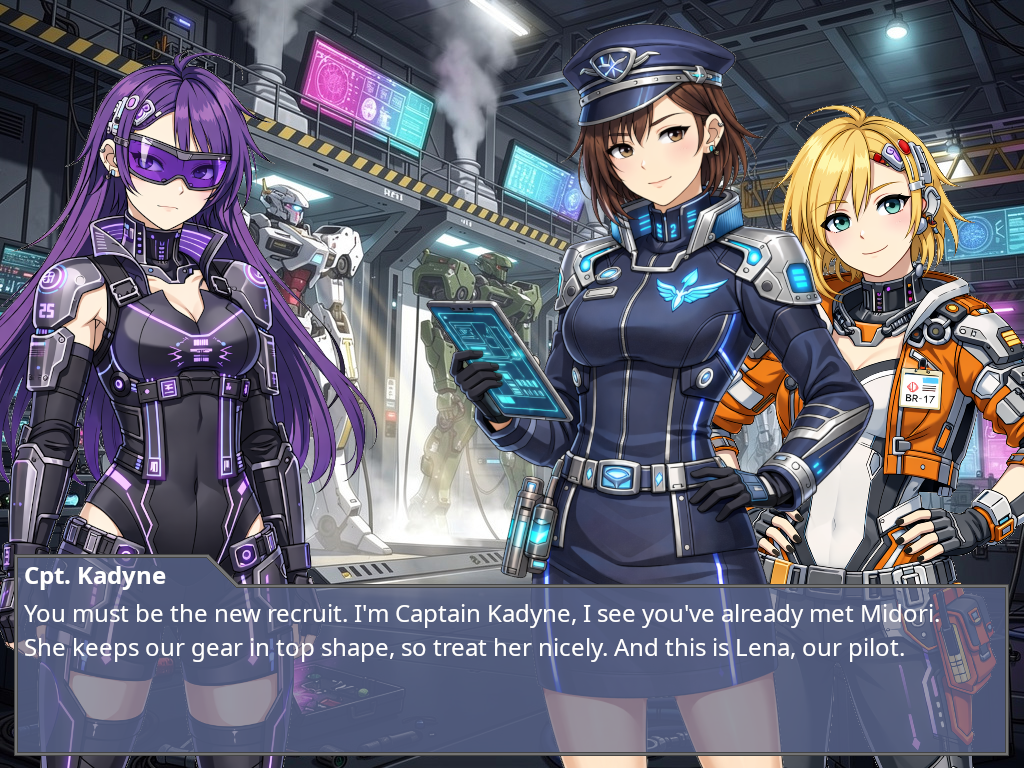
First, create scenes with various image (bust) nodes, such as Sprite2D/3D, TextureRect, TextureButton for clickable characters, or even VideoStreamPlayer to be fancy.
Then, use special VN commands to control everything: swap scenes to change bust layouts, assign characters to bust nodes or move them to other busts, swap a character’s bust display for another posture or expression, animate or play effects on bust, and more!
Want to highlight the bust of the speaking character? You can choose among the multiple built-in options: move them to the front, change the size or color tone of the speaker’s bust, overlay an outline, display a name tag underneath — or create your own method!
You can also use AnimationPlayer nodes to create and automatically play visual effects when busts join, leave or switch places: slide or fade in or out of view, shake or hop, roll or pirouette… We’re not here to judge.
And if two dimensions is too restrictive for you, use the Cutscene commands, which allow direct control of any nodes and objects in game space, to create a 2.5D or 3D VN.
(On a small side-note: it’s technically possible to create a Visual Novel entirely through Candy Dialogue Engine — main menu and all — without coding.)
Speaker Roles
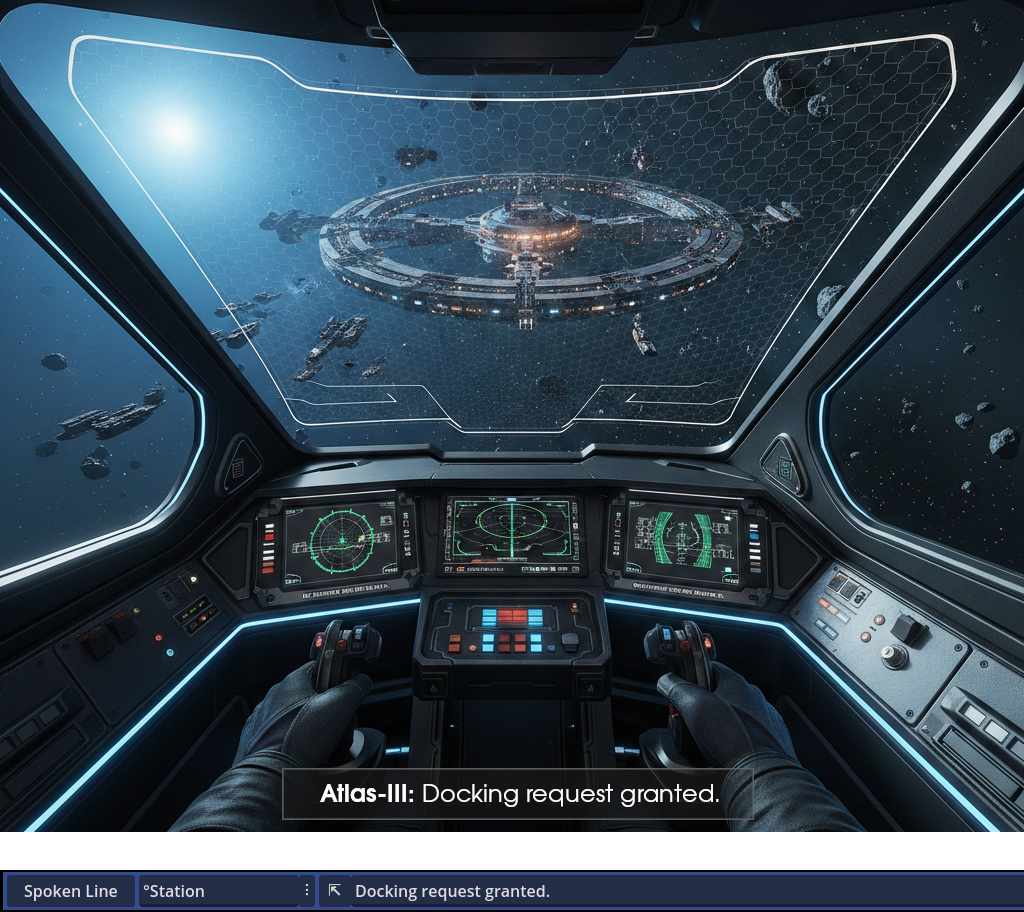
Sometimes you just don’t know in advance which specific character will speak a given line. For example, when a line is meant to be spoken by the third party member and your game allows changing the composition of the player party.
No problem! Just assign a speaker role to the line, and later assign a character to the given role at runtime. And just like that, whoever is the third party member when the line is processed will be the speaker of that line!
Dispositions
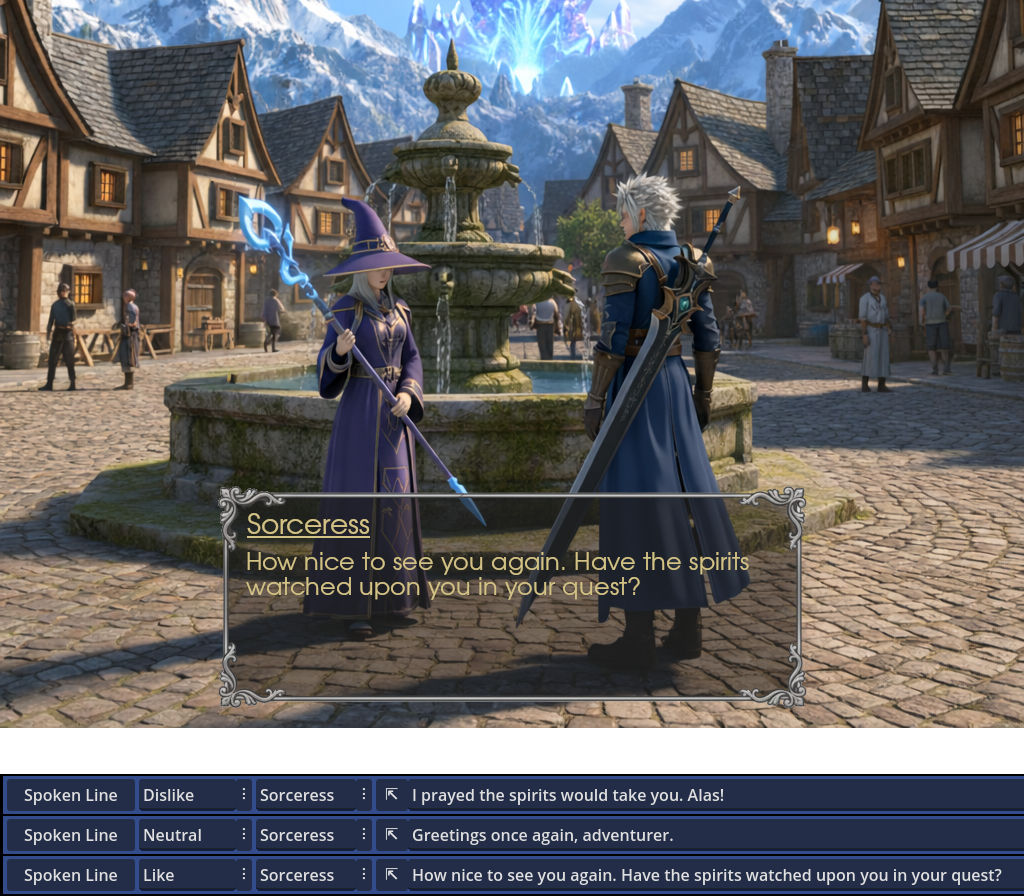
Want a character to speak differently if they’re happy or angry? Want them to only tell a secret if they like the player?
Easy: assign a disposition to any line, and it will only be displayed on screen if the speaker’s disposition matches!
And for more advanced games, take things further: assign multiple dispositions to lines or actors, and use intuitive operators to require matching some, all or none of the listed dispositions, all in a single string.
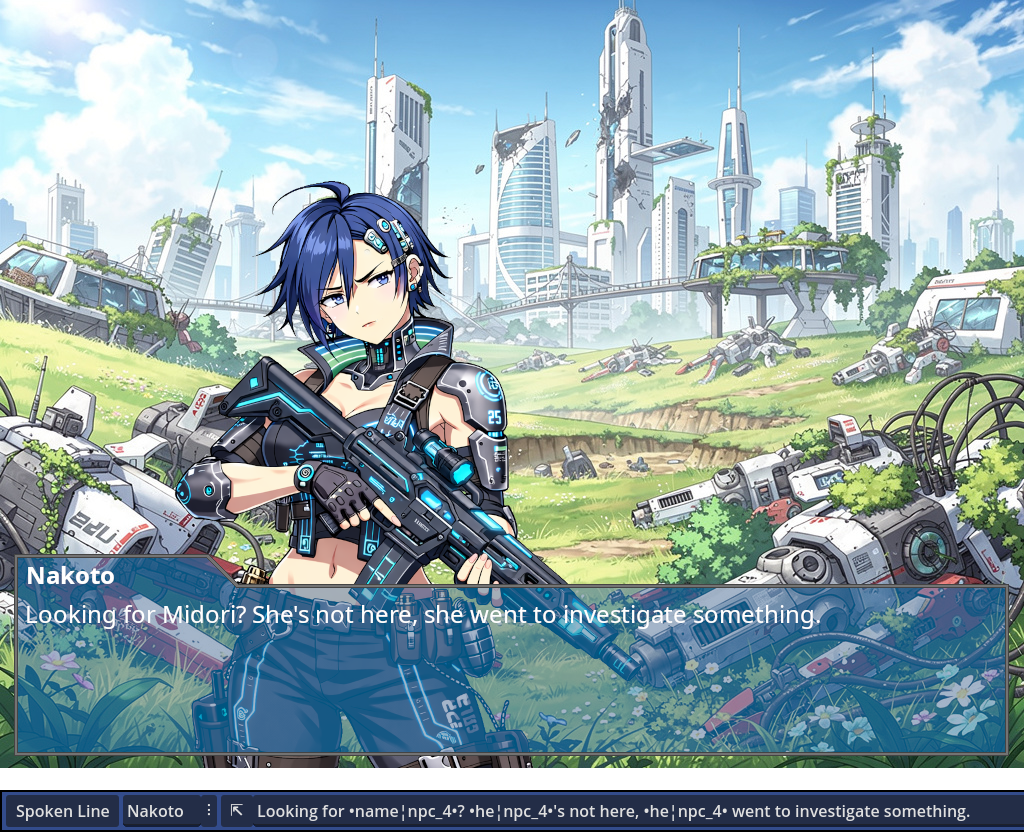
Word Substitution
Gendered language is the bane of dialogue writers: it often requires writing duplicate lines for each potential option, using complex databases, injecting unintuitive syntax in your texts…
Good news! Candy Dialogue Engine features a smooth solution. First setup an entry in the Substitution Table, then:
1) Write a gendered word.
2) Write which character it refers to.
3) Wrap it in a couple of symbols.
That’s it! Candy Dialogue Engine will look up the gender of the designated characters and match the words accordingly. It even features automatic case matching, so you don’t need to create duplicate entries when words are capitalized at the start of a sentence.
And of course, the symbols are customizable for your convenience.
It’s also not limited to gendered language only: it can compare any keyword to any character property, perform substitutions based on multiple properties, and make comparisons between numerical values — perfect for displaying a title based on age or level.
To top it off, substitution rules can be made language-specific to avoid conflicts between translations.
Lexicon
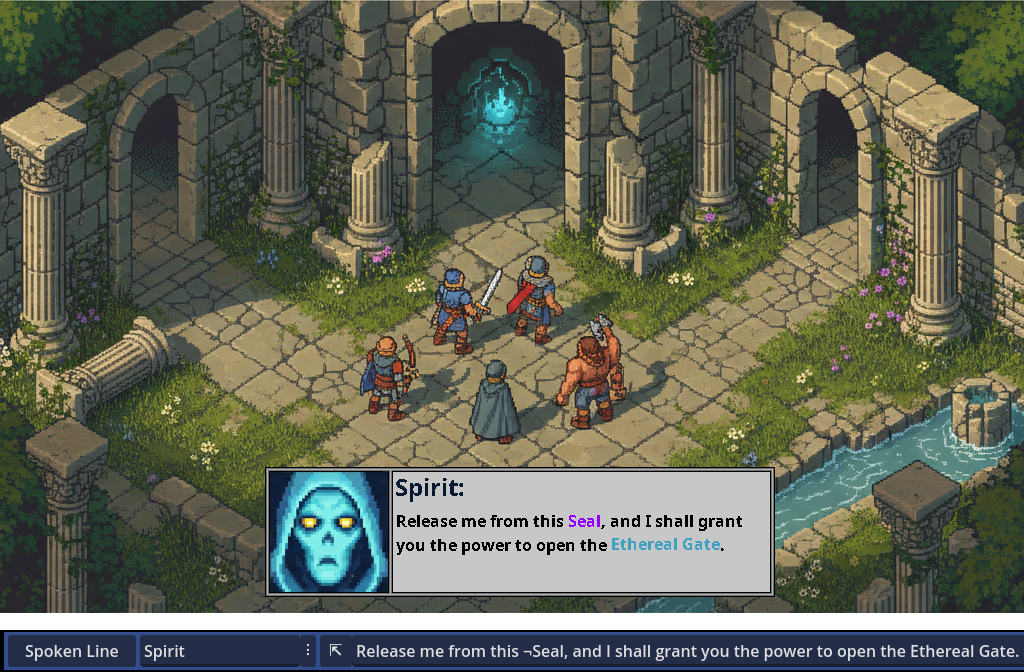
The Lexicon is a dictionary of keywords that can be automatically stylized when displayed on screen, using BBCode tags.
Each keyword can be styled with a custom size, font, bold/italics/underline, text/highlight/outline color, or anything else BBCode supports, including tooltip display when hovered.
Candy Dialogue Engine can even make keywords clickable, and you can freely code any effects you want upon clicking.
The Lexicon also provides a simple and convenient method to prevent words from being stylized as Lexicon keywords depending on context: prefix Lexicon keywords with a symbol of your choosing, which won’t be displayed on screen. Words not prefixed will display as normal.
Translations & Variants
With Candy Dialogue Engine, even translating your game is simple: each spoken line can be assigned any number of variants, which can act as translations, alternate phrasings, or stylistic rewrites of the same text. Indicate the variant to display with a single variable, et voilà! Your characters can now speak French or any language you include!
Meanwhile, translation tables can be used to automatically translate UI elements and even character names or various keywords.
Right-to-left writing is also supported: specify the default text direction of any language or variant, and optionally make exceptions for specific lines.
Variants aren’t just for translations: you can use them to automatically swap between masculine/feminine derivations, or any other character attributes such as class, moral alignment, or more. Or use the built-in randomization feature to switch between multiple variations at random, to make frequently repeated lines feel more diverse!
In addition, if you use voice files for dialogues, Candy Dialogue Engine can automatically find and play files for alternate variants, saving you or your translators the long work of manually assigning voice files to lines!
Voiced Dialogues
Of course, voiced dialogues are supported: just assign voice files to lines, or hook to a Text-To-Speech tool of your choosing! And optionally synchronize dialogue writing speed with voice playback duration for a more polished feel!
And since we know how tedious it is to match lines and voice files, Candy Dialogue Engine’s folder structure keeps everything organized for you: voice files are grouped by actor, then by conversation and dialogue block. The companion Candy Dialogue Creator automatically filters and displays the available files for each line, complete with built-in “hover to preview”.
In addition, voice files for translations or line variations are automatically resolved by the engine at runtime, based on the originals, saving you hours of extra work!
The result: no spreadsheets, no obscure line IDs or fragile indexes, not even any typing required. Fully edit dialogues without risk of breaking anything, and preview voice files while writing for perfect tone, pace and sentence matching!
Variables
Candy Dialogue Engine takes variables seriously:
First, whether variables are stored inside global scripts (autoloads), nodes, or inside Candy Dialogue Engine’s own internal dictionary of variables, they are always accessible.
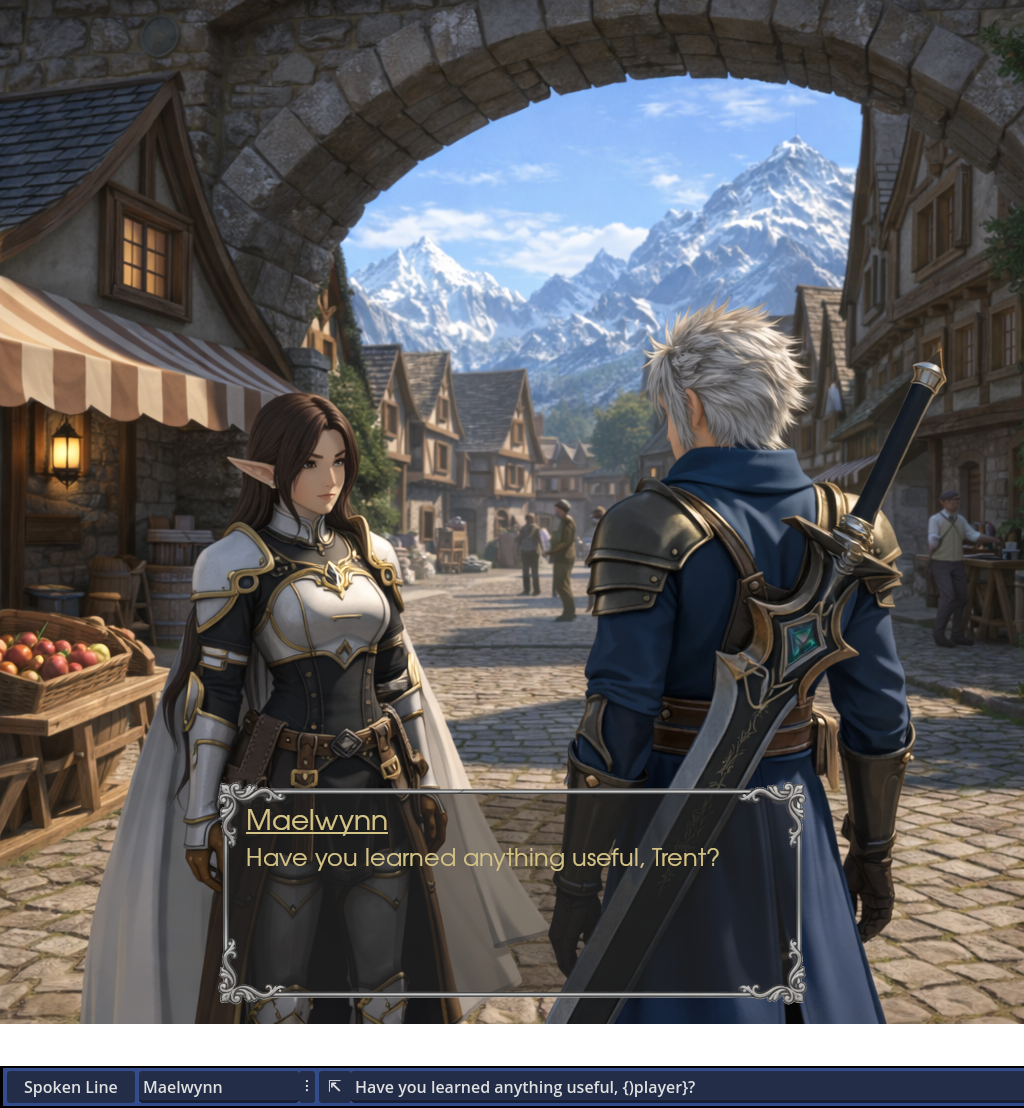
Display any variables in spoken text, using customizable symbols (similar to BBCode tags), or modify them using commands that support not only GDScript-style syntax, but also a few custom operators, including a method to convert interchangeably between Dictionaries, Strings and Arrays!
For complete control, use variables for any element of command data, making it possible to use dynamic values that change at runtime for every parameter.
And for even more power, write and read variables to/from dynamically-created external .txt files: this means virtual variable declaration at runtime!
Progression Flags
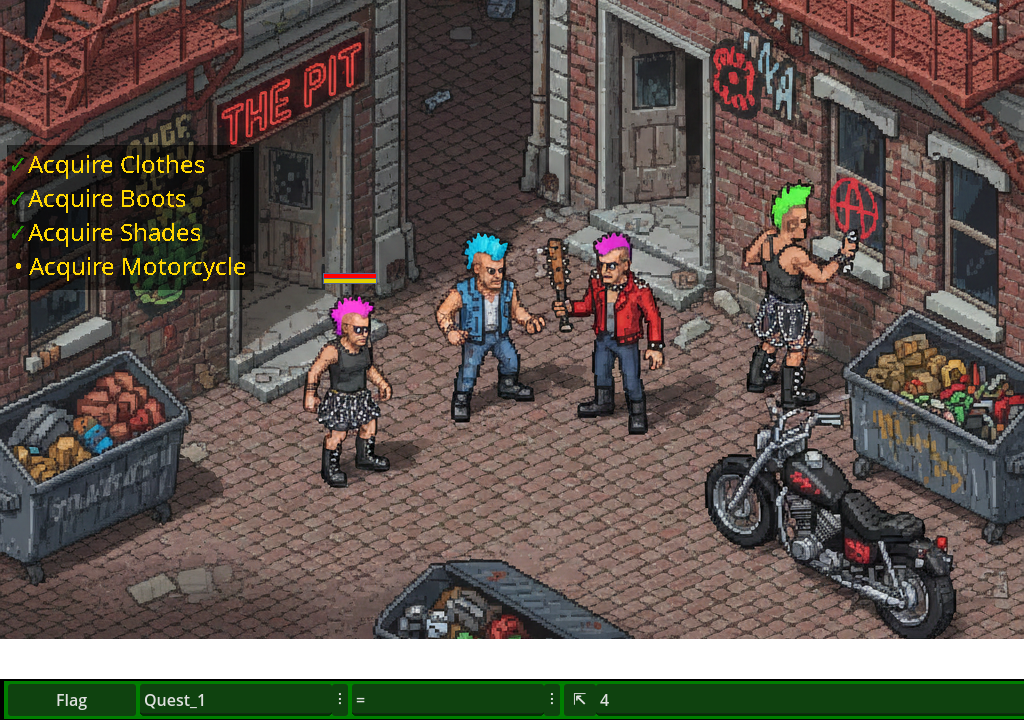
An optional dictionary is provided for progression flags, which pairs with a special command to quickly modify their values.
Instant flag updating during dialogue, fast and minimal writing, and support for a wide list of operators and variable types, including arrays and dictionaries as flag values!
And for maximum convenience, the command automatically calls a hook function, allowing you to automatically run custom code when flags change, such as updating quest trackers.
Conditions & Loops
What would a dialogue system be without conditional branching? Candy Dialogue Engine provides command lines to replicate ‘if/elif/else’ conditions, as well as ‘for’ and ‘while’ loops! Not only that, but conditions can be nested inside one another, and support elaborate conditions, with parentheses and ‘AND’, ‘OR’, ‘XOR’, and any operators, just like GDScript!
Use conditions and loops for anything: modify variables, call functions, emit or await signals, or transition to other dialogue Blocks that can feature and run any dialogue command!
Dialogue History
An often secondary but standard feature in dialogue systems: Candy Dialogue Engine can automatically save and display dialogue history. A default implementation is included, or you can create your own UI to display the history log, take advantage of our expandable functions to tailor your own text formatting, and even customize what lines and data get saved.
Player Input
Need the player to enter their name, a password to a secret cave, or write a good joke? Just create input UI elements, and make them appear mid-way through dialogues with a single line.
The input logic is entirely up to you: restrict, allow or modify any text inputs based on any criteria you wish, from words or specific character types, to input length. You’re not on your own, though: Candy Dialogue Engine’s default input UI comes with a script that features many options, and is easily modified to serve as a template or expand upon.
It’s not limited to entering text or numbers: create any player-interactive UI you want, packed with advanced internal logic of your own. Virtual buttons, dials, sliders, movement controls, drag-and-drop… Any input form is compatible.
Design and display UIs for virtual keypads, radio transistors, mechanical devices, crafting tables, MIDI mixers, musical instruments, vehicle cockpits, even mini-games, and more!
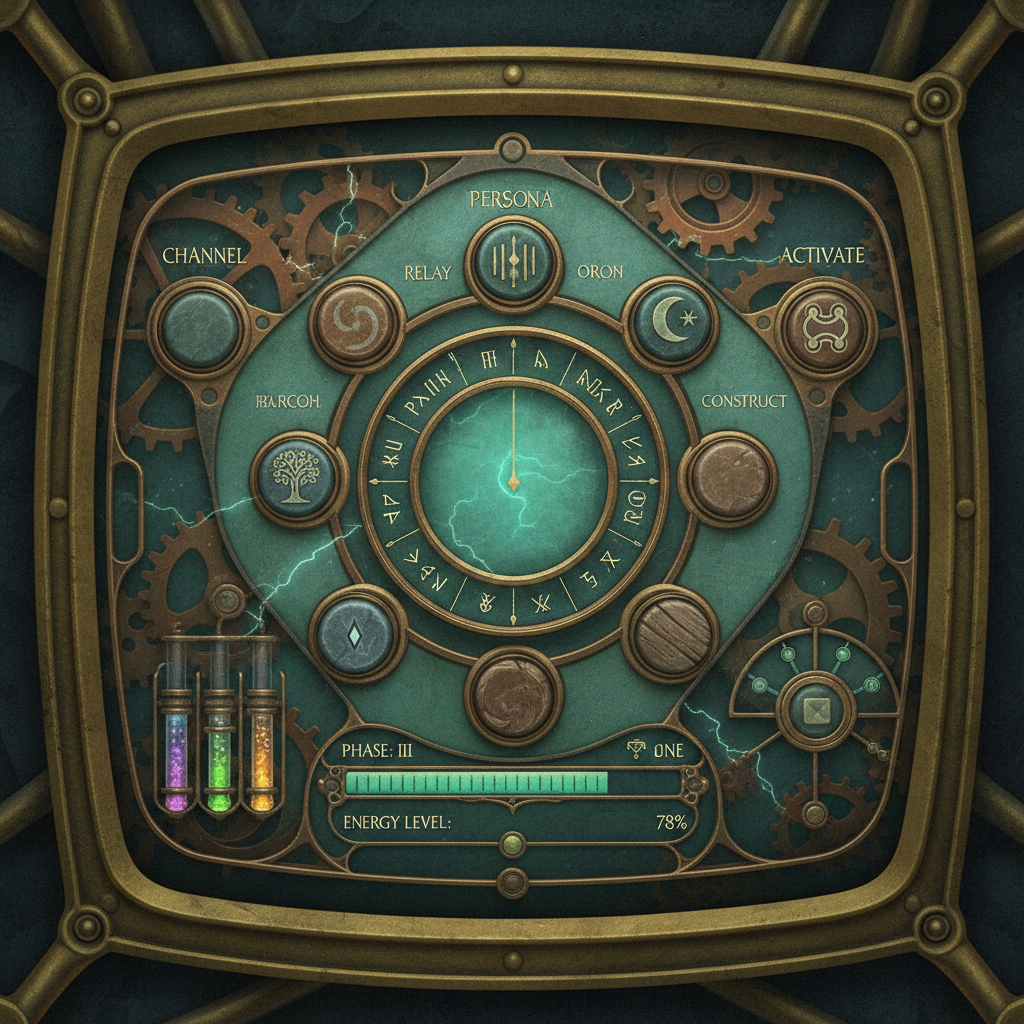
Input UIs can communicate with the dialogue engine through signals, allowing inputs to trigger dialogue commands, character speech, or affect the dialogue script. Even better: you can swap through UIs, display and use multiple UIs side-by-side, or create modular input systems!

Player Choices
Player choices are a staple of any comprehensive dialogue system, but Candy Dialogue Engine takes things further: fully customize choice menus and buttons, display as many choices as you like, group them in categories, and make them run any dialogue commands, including modifying variables or calling functions.
Not enough? Let choice menus configure themselves when they initialize, using conditions and dialogue commands. You can use this to skip, deactivate or hide unavailable choices, or to limit or randomize the choices offered. You can also set timers to trigger effects or auto-select choices, and you can nest choice menus within one another.
Special dialogue commands are also available to alter choices and timers, allowing them to modify one-another when selected or timed out. These commands can further be used to run conditional, weighted or randomized logic to limit or select available choices — wide power and control in a small package!
Media Synchronization
Most dialogue systems focus on dialogue display entirely, leaving you to figure out how to synchronize speech with media or real-time game events properly.
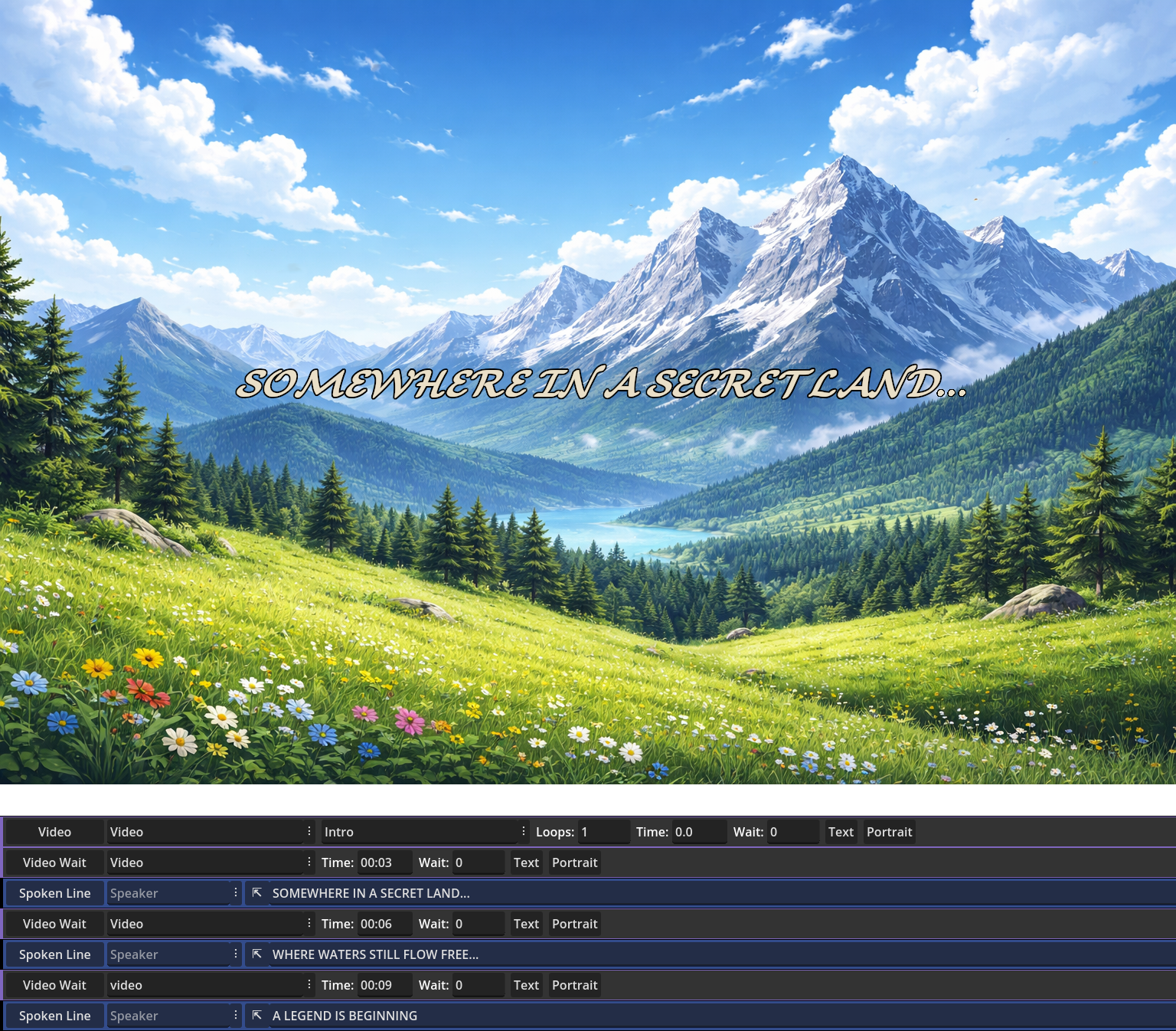
Candy Dialogue Engine saves you that pain: various commands can be used to play videos, sounds, or display images. Not only that, but additional commands are also provided for precise control: pause dialogue processing until a specific media finishes playing or reaches a specific timestamp or frame; or do the opposite and pause media until a specific number of dialogue lines have been processed.
There’s also commands to change media volume or skip to a specific timestamp or video frame, and to hide or show dialogue UI elements.
And there’s even a built-in solution for animated images, using automated image swapping and customizable FPS rate: just place image frames in a same folder, point the image display command to it, and let Candy Dialogue Engine do the rest!
Direct Cutscenes
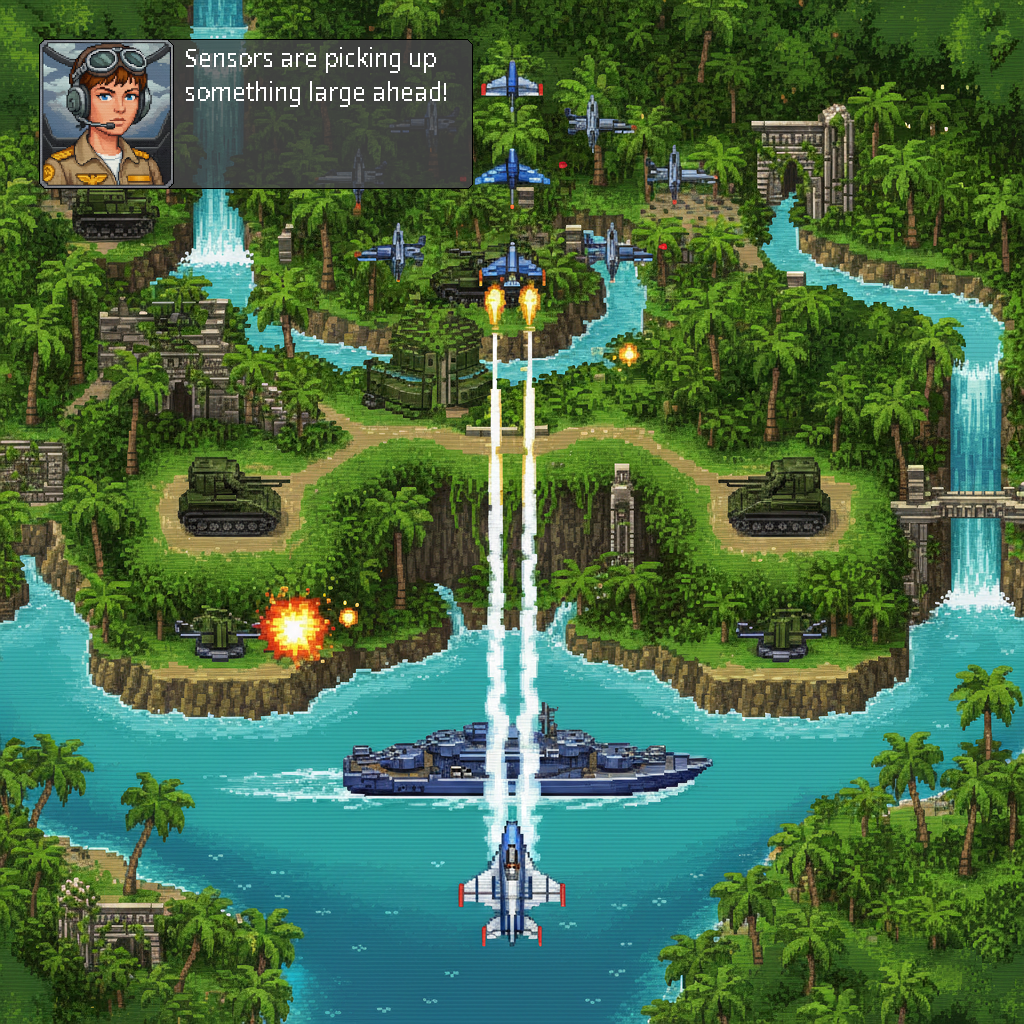
Media controls only scratch the surface of Candy Dialogue Engine’s capabilities: commands are also featured to instantiate scenes, move or animate characters or objects in the game world, toggle visibility, change the active camera, or modify lights. This works for both 2D and 3D, and adapts to your node hierarchy, whatever it may be.
The result: real-time cutscenes can be scripted entirely through dialogues by alternating spoken lines and cutscene commands. Winning a movie award by making video games has never been easier!
Effects & Backgrounds
Just like media and cutscenes, commands are provided to play visual effect animations on screen, such as color flashes, fading to black, shaking, or any other effects you wish to achieve.
Commands also make it possible to change or animate backgrounds. And not only that, but Candy Dialogue Engine supports any number of background layers, and can use either a general AnimationTree for all layers, or AnimationPlayer nodes for individual layers.
LLM (AI) & TTS Support
Games are starting to use Large Language Models to generate character speech, and Candy Dialogue Engine is ready for them: enable LLM mode and Candy Dialogue Engine will query an LLM of your choosing, then display its response as character speech. Of course, you have the option to write your own code logic to craft custom prompts and use dialogue data to provide context, and you can add steps to evaluate LLM outputs for errors or problems, then edit or re-query as needed.
Likewise, if you integrate a Text-To-Speech solution into your game, whether built-in or through an external API, you can let Candy Dialogue Engine use it to speak lines out loud. BBCode and any other tags will be automatically omitted when passing a line to your TTS tool, or you can write and pass specially-written TTS line variants for fine-tuning of rhythm, tone, and other speech parameters!
And where you want further control, lines and characters can be individually forced or exempted to use LLM-generation and Text-To-Speech, regardless of the general settings.
Note that connecting your game to an LLM API, integrating a TTS solution, and writing the query functions is left to your care, as this is highly specific to each project and outside the scope of a dialogue system.
Game State Tracking
For projects that use a Game State tracker, Candy Dialogue Engine features an externalized function that can be customized to modify Game State appropriately when dialogue starts or ends.
Saving & Data Export
Dialogue commands are provided to export or import any dialogue or project variables to or from text files, supporting a wide number of formats: JSON, TXT, CSV, CFG, BIN, INI, BASE64, and even TRES or RES.
Importing can be set to update runtime variables directly, or to store the data in any dictionary for other uses.
This makes it easy to print debug logs or dialogue history, or to create a save/load system.
Parallel Dialogues
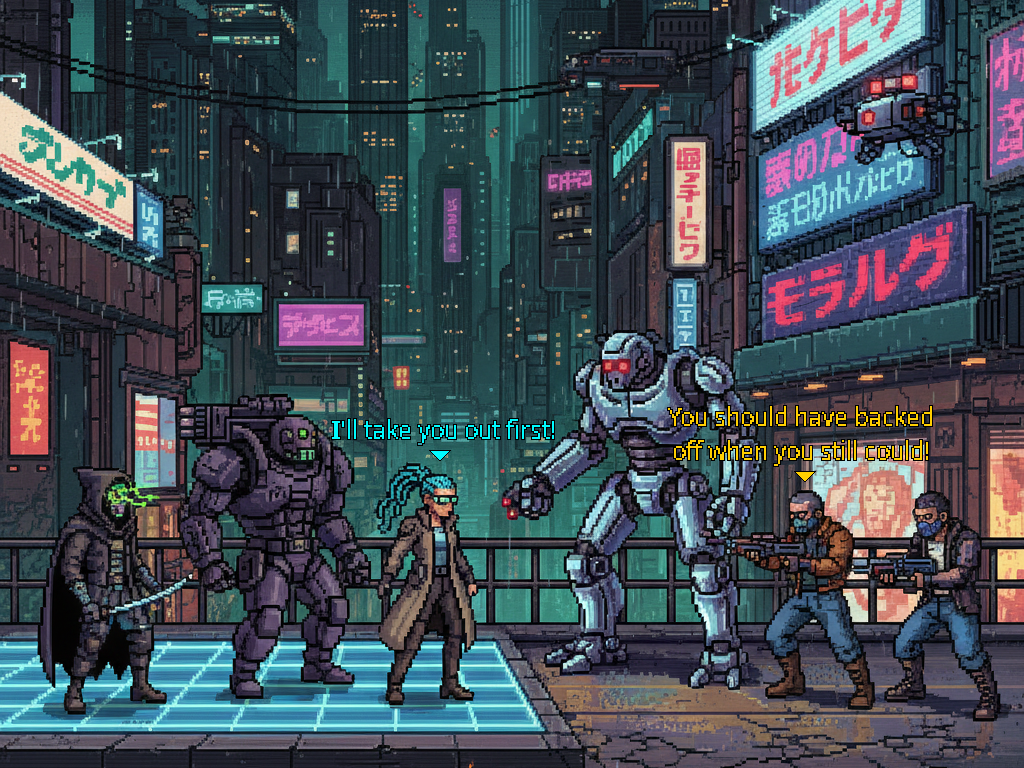
The engine core code is self-contained, making it possible to run multiple dialogues at the same time. Just attach the script to different nodes, each with their own display UI elements, and call the dialogue start function on any instance as needed.
No variable conflicts, no fighting for the same UI! Just cleanly separated conversations taking place in turns or simultaneously! Dialogue instances listen to their own signals, can be assigned their own input actions, and can even use their own language settings.
Perfect for NPC ‘barks’, groups having their own private conversations, multiplayer games, and even running background dialogues as mods!
Modding
Candy Dialogue Engine’s capabilities natively enable it to be used as a modding layer:
Configure your game to run player-made dialogues at startup, at other strategic points, or even manually, and players will be able to use all the dialogue features to alter the game at runtime: modifying variables, calling functions, condition checks, and everything else!
Implementing this feature is absurdly easy: program your game to scan and detect player-made dialogues, and for each of them, automatically create an instance of the dialogue engine script, then run them all simultaneously. It’s then up to your players — not you — to design these ‘mod dialogues’ to work properly with your game.
The function for loading dialogues from .txt files is built-in, so you’ll only need to write the folder scanning and engine instantiation code. You don’t even need to expose variables or functions, since dialogues can access any of them from the project root.
And if you go further and implement a method for your game to load player-made Godot scenes and other resources, your players could even add their own custom UIs or import custom-made functions for their ‘mod dialogues’ to call!
Not only is it easy to make your game moddable this way, but this will also work for games that were not designed with modding in mind from the beginning.
And in case it’s not clear, using Candy Dialogue Engine for modding doesn’t require using it for normal game dialogues: modding will work even for games that use third-party dialogue systems, home-made dialogue code, or even no dialogues at all.
Live Dialogue Editing
Modify dialogues even as they are being processed at runtime! At their core, dialogues are just nested dictionaries and arrays, and Candy Dialogue Engine reads and processes a single line at a time. You can therefore make a dialogue line modify any upcoming lines, or even add or remove lines!
If that’s more technical than you’re comfortable with, this is an optional feature for special, advanced uses. Modifying dialogue scripts in any way at runtime is not required by any of Candy Dialogue Engine’s functionalities.
Turing-Complete
Dialogues can be used as a programming layer that can run any logic you may want, emulating functions: unrestrained variable modification, function calls (including to native Godot methods), signal emission/detection, conditions, loops and the ability to transition directly to any line are all the tools you need.
Not only that, but this grants Candy Dialogue Engine meta-programming capabilities: these dialogue-functions can be created at runtime, and can be designed to create more of themselves. Account for the fact that dialogues can be edited live, and you can essentially have functions that modify themselves or others while they run!
And coming soon to v1.1: the ability for dialogues to create variables in external files, effectively unlocking unlimited runtime variable declaration.
Your Code
Full access to the engine code is provided, allowing you to modify it any way you like. Creating your own custom commands or custom dialogue styles is done by adding elements to match statements and doesn’t require modifying any of the existing code otherwise, making the process clean and risk-free.
Importantly, Candy Dialogue Engine adapts to your projects instead of expecting them to bend to it, and the ease of modifying the code guarantees that you can always make it fulfill your needs, without being dependent on official updates.
All code is written in GDScript, making it accessible to all developers working in Godot.
Seamless Integration
Candy Dialogue Engine never touches the rest of your project: it doesn’t modify your code, your variables or your scenes. Your project calls on it when needed, and tells it how to adapt. In other words, Candy Dialogue Engine is entirely self-contained, doing its thing while being aware of its environment.
The best measure of this is how easy it is to remove from your project: just delete the Candy Dialogue Engine scripts and scenes, and remove the added autoloads and input maps. Unless you’ve specifically designed a part of your project to depend on Candy Dialogue Engine, nothing will be left broken or in need of reconfiguration.
Future
Long-term reliability is essential when you choose a tool like this. It’s what we’d expect as users, so it’s what we’re determined to provide:
• Candy Dialogue Engine will always be updated to support new Candy Arts products where relevant, and to remain compatible with Godot 4.
• Additional features are planned and in the works, including multiple new dialogue display modes. See our roadmap for details.
• We also listen to user feedback: in fact, we’re counting on it! We’ll gladly add requested features or improve support for unique project needs.
• Importantly, we want to ensure updates will always remain compatible with your dialogues, so that you never have to choose between re-editing all your work or passing up on new features. The code is carefully crafted to be future-proof, and in a worst-case scenario we’d be able to provide patching tools to automatically update your dialogues in a couple of clicks.
• And the absolute guarantee: you can always modify the code yourself to fix any issues or customize features. We have no intention of letting bugs linger and we have long-term plans for Candy DE and Candy Arts, but you can rest easy knowing you don’t depend on us.
Candy Dialogue Creator
Instead of featuring an in-Godot UI, Candy Dialogue Engine makes use of the standalone Candy Dialogue Creator — a GUI that makes dialogue writing and translating fast and easy.
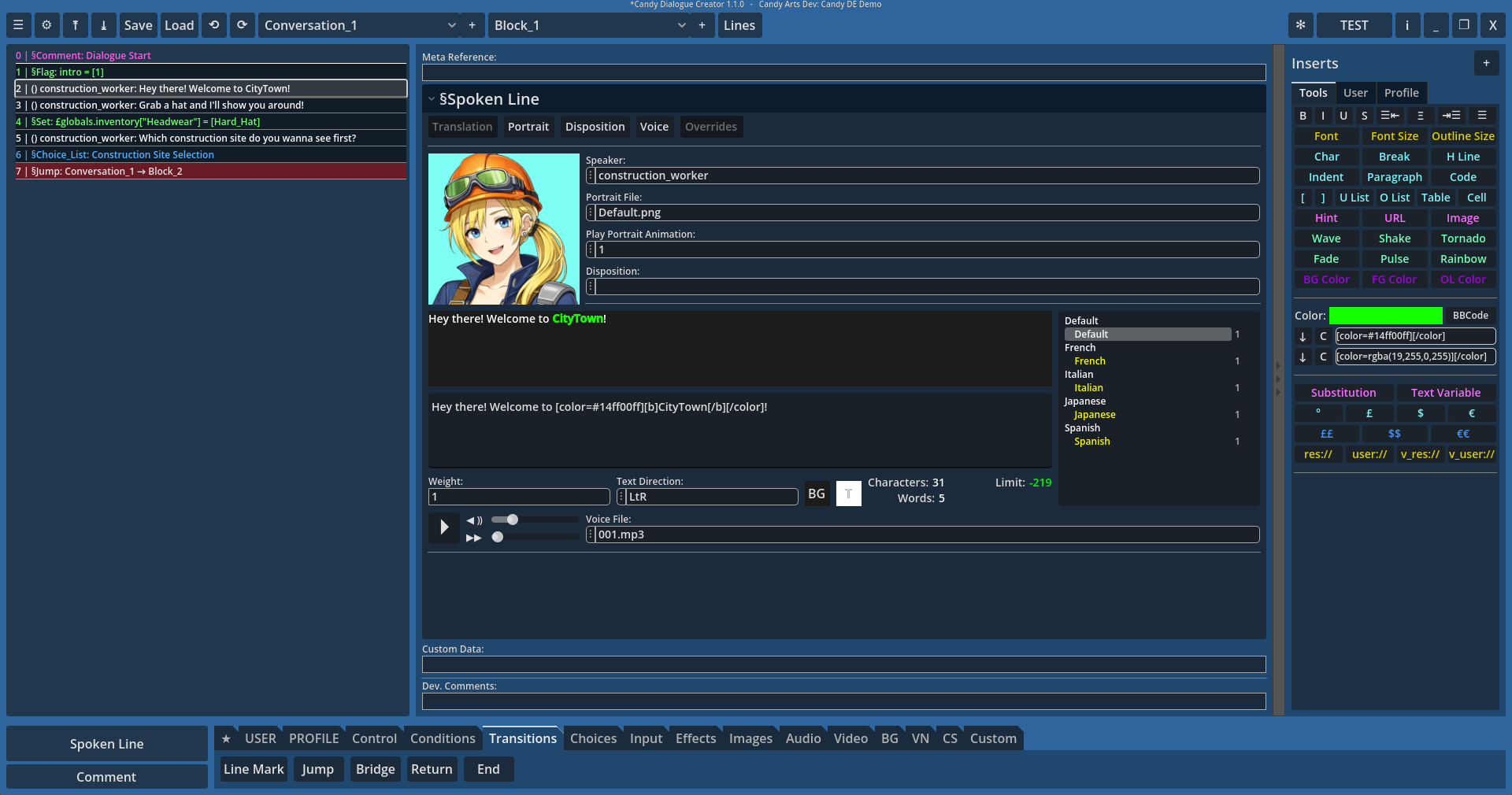
The standalone design offers more stability, removes the need to do writing or translation work in the Godot Editor, and works great for multi-monitor setups where you can work on your project on one screen, and edit dialogues on another.
The Candy Dialogue Creator is open-source (MIT License) and completely free, so you may use it as much as you like, any way you like: change the look of the UI, add custom features or create your own edition. It can even be integrated directly into your game to be accessed at runtime!
Among its notable features:
• Lines can be added in one click or moved or duplicated just as easily.
• Writing doesn’t require typing special syntax.
• Read your project files to display previews of media files like portraits and voice, or to generate data lists you can select from.
• Create custom presets for lines, data or text strings, which you can insert repeatedly in one press of a button.
• Export dialogues directly to your project folders, including a one-click quick-testing option, with various merge options.
• Enable writers and translators to work without any coding experience and without any direct access to the source project files.
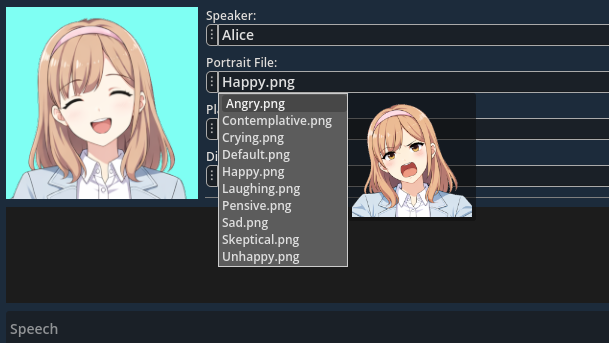
That all being said, dialogues are editor-agnostic: they’re just dictionaries in GDScript format. This means that if you don’t want to use the Candy Dialogue Creator, you can create your own software/plugin/GUI, or even just use a text or spreadsheet editor. Whatever solution you choose, it just needs to create a text file with dialogues formatted the way Candy Dialogue Engine expects.
Pricing
Free Indie License (Indie projects, max €5 000 budget, non-commercial use only) — Free
Starter Indie License (Indie projects, max €5 000 budget, commercial use authorized) — €100 €50 until September
Pro Indie License (Indie projects, max €25 000 budget, commercial use authorized) — €500 €400 until September
Studio License (All projects, unlimited budget, commercial use authorized) — 2.5% royalties.
Indie Licenses are valid for one individual. They last a lifetime and can be used by the same license holder for unlimited projects without additional payment.
Studio Licenses apply per project and have no seat, budget or revenue limits. Royalties are calculated on gross revenue. Studio projects that earn 0 pay 0.
Features are identical across all licenses.
See the Indie Project Checklist to determine if your project qualifies as Indie.
See our Licensing page for more details.
Compatibility
Candy Dialogue Engine is compatible with Godot Engine 4:
• Godot 4.4 and higher should be fully compatible.
• Godot 4.0 to 4.3 are not compatible.
• Candy Dialogue Engine will always be updated to maintain compatibility with newer Godot 4 sub-versions.
Operating System & Hardware:
Dependent on Godot: hardware and operating systems that can run Godot can run Candy Dialogue Engine.