
Candy Tools
Godot Editor Toolset for Candy Arts Assets
Candy Tools adds usability to our assets, through a multipurpose UI panel:
• Includes tools for Candy Loot and Candy Triggers.
• Godot Plugin design for easy setup.
• All tools are located in a shared tab in the Godot Editor bottom panel.
• Does not create any dependency (can be removed at any time).
• Completely free.
Plugin Design
The plugin format makes Candy Tools easy to install: drop the Candy Tools folder in your project’s addons folder, then enable it in the project settings menu.
When downloaded from the Godot Asset Store, everything should be automatic.
Minimal UI Space
Candy Tools adds a single tab to the bottom panel in the Godot Editor. This way, the various tools don’t take too much UI space.
Inside the Candy Tools tab, tools can be manually selected from a drop-down list or, in some cases, Candy Tools automatically switches to a particular tool when a relevant node is selected.
Candy Loot
Candy Loot is our random outcome generator, which uses a nested tables logic. These tables are normally written as GDScript dictionaries, which is readable enough but not ideal.
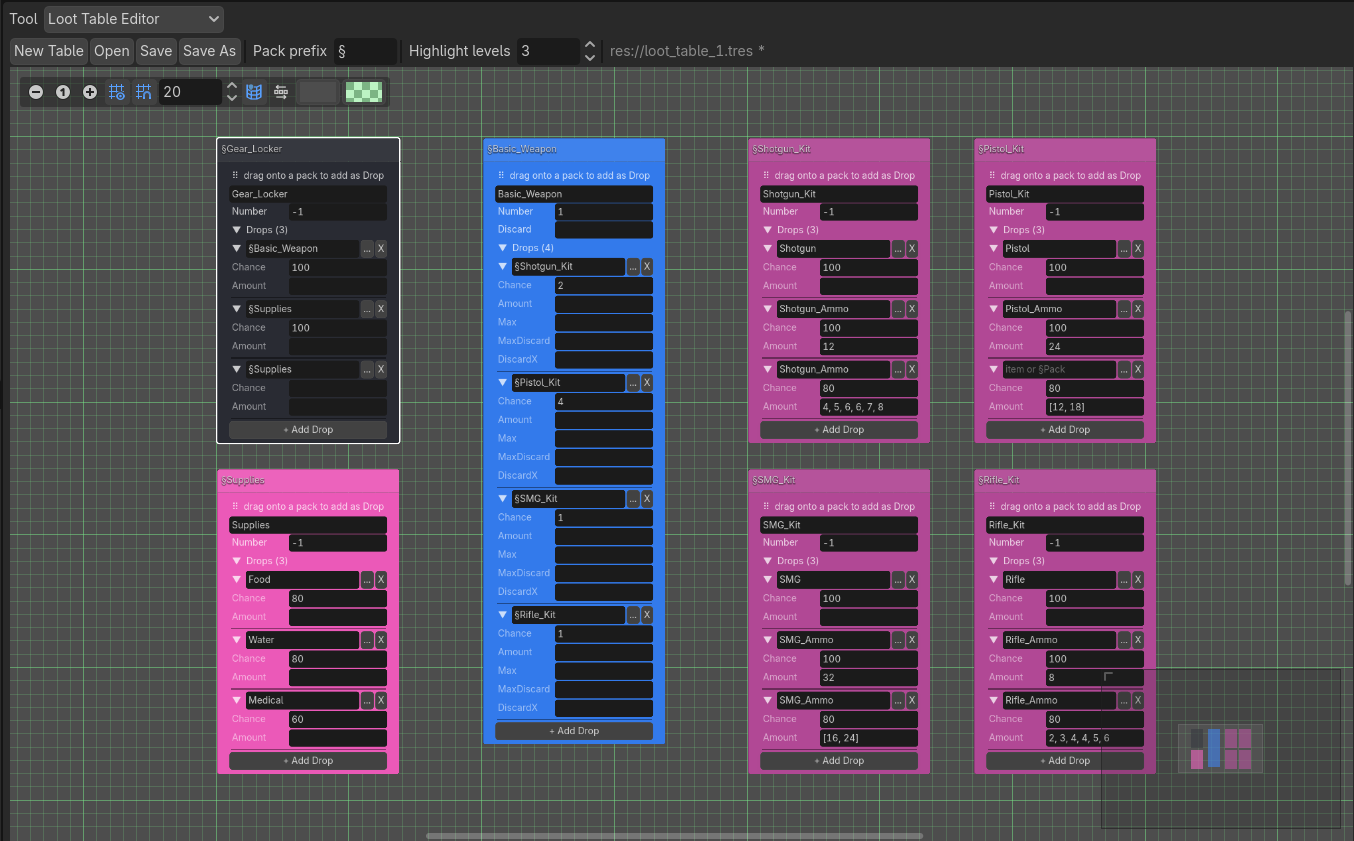
Candy Tools allows you to easily create randomization tables for Candy Loot in the form of a node graph. Each node in the graph represents a Pack and allows its complete configuration. Tables can be saved as .tres files, which Candy Loot can then load and use at runtime.
The graph provides several additional convenience features, such as highlighting the Packs found within a selected Pack, color-coding for empty Packs and ‘end’ Packs (Packs that contain only items and no other Packs), and easy drag-and-drop Pack nesting. Packs can also be saved as templates, to be re-used in other tables.
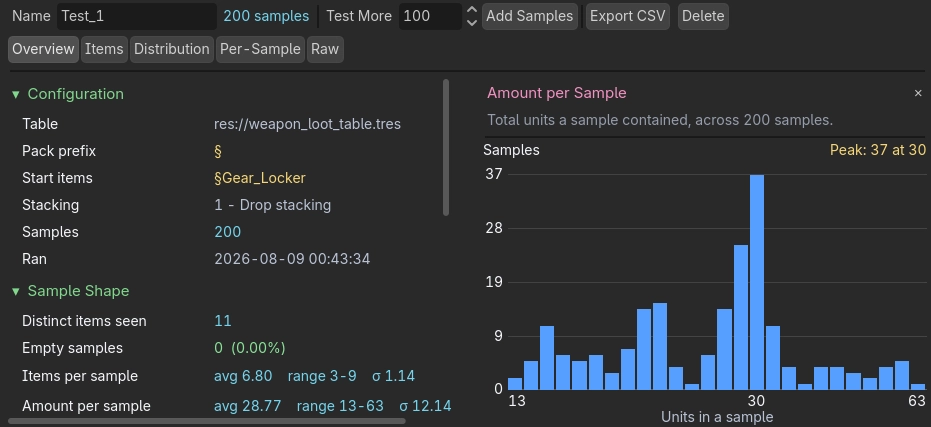
In addition, Candy Tools also provides a UI for testing outcome probabilities.
It’s identical to Candy Loot’s Sampler tool, but instead of displaying results to the Output tab, it displays results in a nice UI with tabs and filters and bar graphs.
Candy Triggers
Candy Triggers is a state machine script, for triggering game events in a multitude of ways. Each ‘Trigger’ object features various ‘States’, which can be linked together and navigated to. This is normally configured though the Inspector, which only provides an abstract and limited picture.
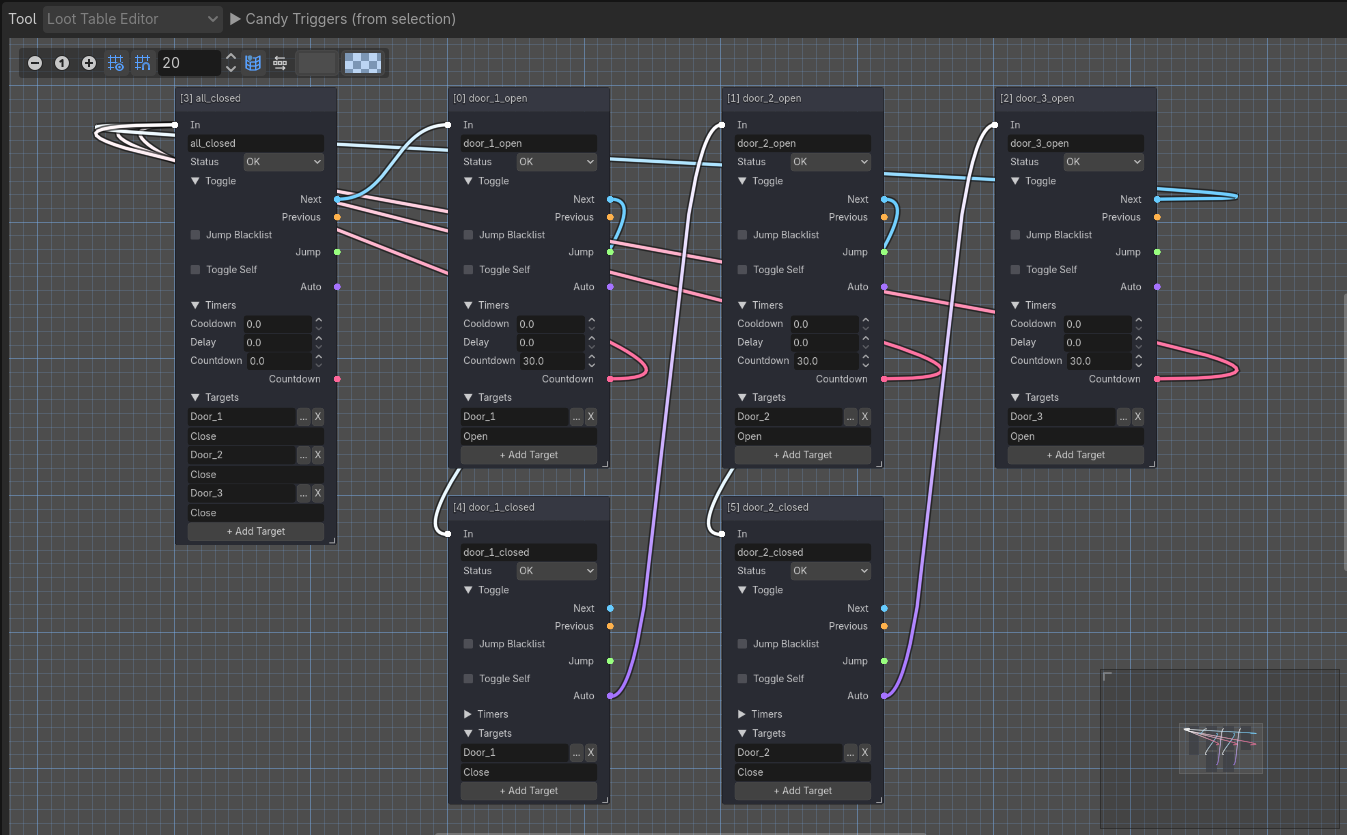
Candy Tools provides a node graph for each Trigger, where each node represents a State. This gives you a complete overview and easy configuration of any Trigger’s many States, their settings and effects, and the navigation links between them.
Navigation links are given particular attention, with color-coding for different types of links. Inactive and disabled States are also color-coded, and the graph synchronizes in real time with the data in the Inspector to prevent any issues and conflicts.
Technical Details
Candy Tools is a supplemental toolset for other Candy Arts assets.
• Assets don’t require Candy Tools: they’re designed to be fully independent.
• Candy Tools doesn’t require any assets, but it’s usefulness will be limited to the assets your project includes.
• Your project won’t become dependent on Candy Tools: it can be removed at any time, you will lose access to the features it provides, but nothing else will break or stop working.
New features will be added as we create more assets, or based on user feedback. The modular design of the toolset will make these additions simple, without any risks of conflict.
Licensing
Candy Tools is published under a proprietary license but is completely free to use, including for commercial projects.
It can be modified for personal use, but redistribution is not authorized.
Compatibility
Godot:
4.3+
Operating System & Hardware:
Dependent on Godot: hardware and operating systems that can run Godot can run Candy Tools.