
 Copyright © 2025-2026 Candy Arts
Skipping Media
In this tutorial, you will learn to move a sound's playback to another position, with the Media_Skip command. John plays Alice a recording of birdsong, and goes back five seconds when she asks to hear a bird again.
Before You Start
This tutorial uses the Actors and portraits of the Beginner tutorials: Alice, John and the construction worker. Write its scene in the Dialogue of your choice: the Dialogue of the Beginner tutorials, or a new one (File > New Dialogue).
1. The Sound File
Sounds are played by audio players. The dialogue UI provided with Candy Dialogue Engine contains several of them, and this tutorial uses the one named Ambient, for background sounds: the AmbientPlayer node of the dialogue UI scene. Each player plays the files of a folder named after it: the Ambient player's files are in Candy_DE/Media/General/Audio/Ambient.
The birdsong, Birds.ogg, is already in that folder: it's part of the Media folder copied in the Dialogue tutorial. It lasts twenty seconds, and loops without a gap.
2. Writing the Scene
1. Add a Conversation named "Recording", as in the Conversations tutorial.
2. In its Block_1, add four Spoken Lines, then an End command after the last one:
| Speaker | Portrait | Text |
| John | (empty) | I recorded the birds in the park this morning. Listen. |
| Alice | (empty) | Wait, what was that bird? Play that part again. |
| John | (empty) | Sure. Going back five seconds. |
| Alice | Happy.png | There it is. Beautiful. |
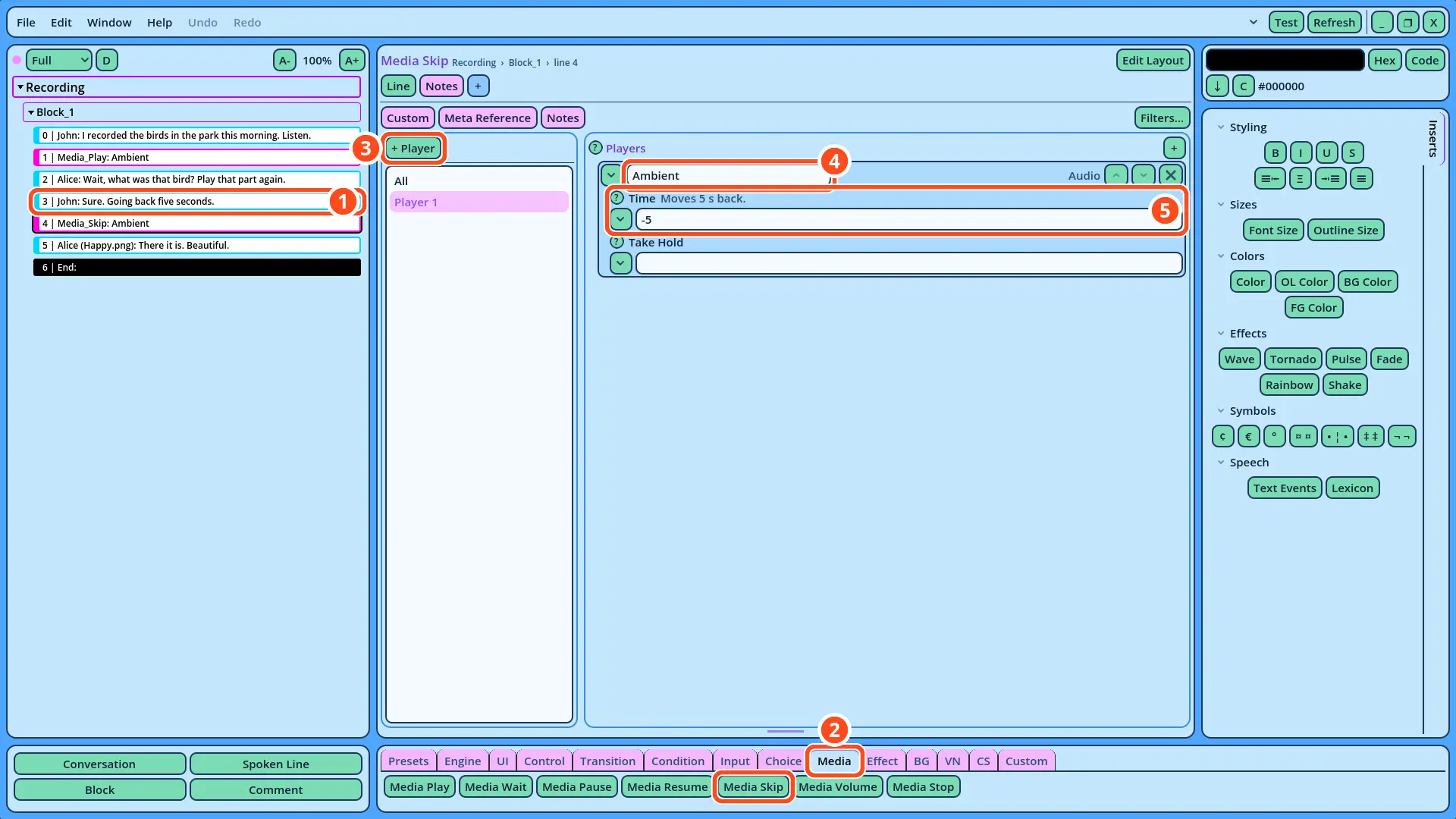
| Time | The playback... |
| -5 | Goes back 5 seconds. |
| +5 | Goes forward 5 seconds. |
| 10, or 00:10 | Goes to 10 seconds from the start of the file. |