Random and TTS Variations
Besides languages and tags, a Variation's name can end with two special parts: a random tag and the TTS tag. Both have a tab of their own in the Spoken Line form.
Random Variations
A random Variation is an alternate text for a Variation. Each time the Line runs, the game picks one text among the Variation and its random Variations. A greeting that plays often can then read "Hello.", "Hi there." or "Good to see you."
A random Variation is named after its Variation, followed by a random tag: Default_#1, Default_#2, French_S=F_#1.
Setup
Add the random tags in Settings > Dialogue > Languages & Tags, under Random tags: #1, #2 and so on, up to the largest number of alternatives a Line will need. A Line may use fewer.
Writing
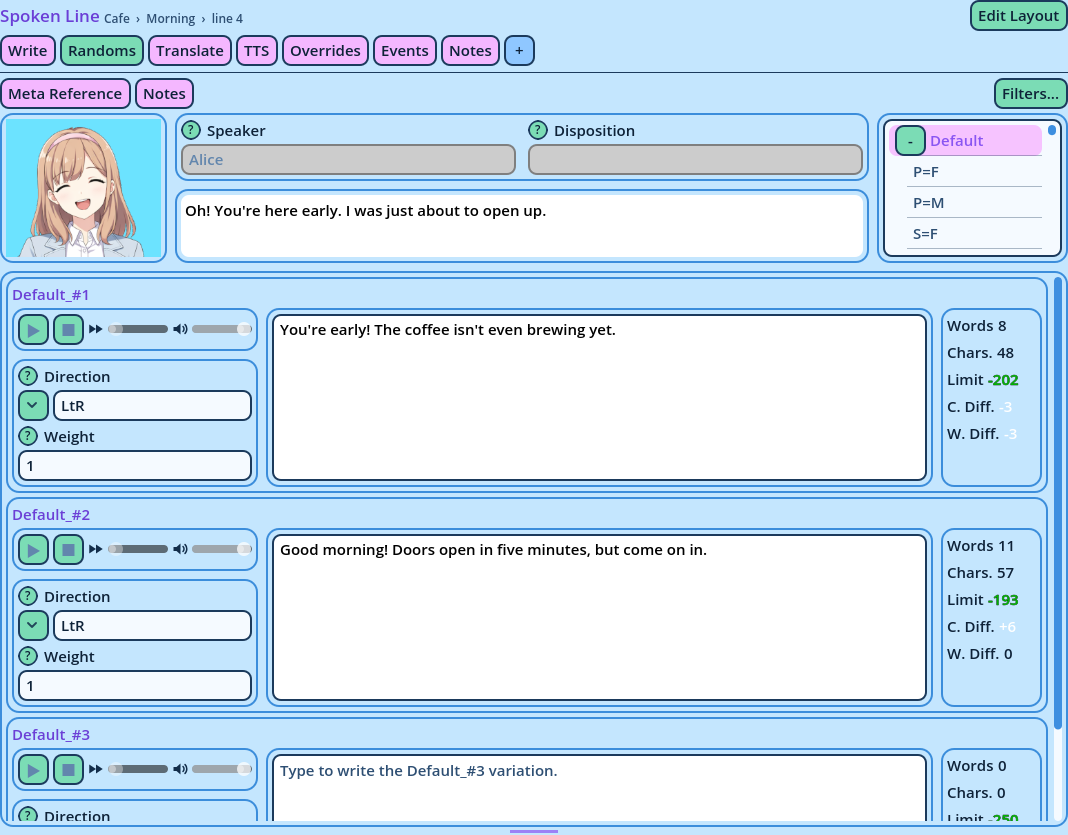
Open the Randoms tab of a Spoken Line.
In the Variation Selector, pick the Variation to write alternatives for, such as Default. The tab then displays one Group per random Variation of it, each with:
- A text box for the random Variation.
- Its Weight.
- Counters that compare its length with the base Variation's.
Type a text in one Group per alternative. The Groups left empty create no Variation.
Weight
Weight is each text's chance of being picked, relative to the others. With weights of 1, 1 and 2, the third text is picked half of the time.
Random Variations are only picked when they are enabled in the game: see the Candy Dialogue Engine documentation, under Speech > Variations.
TTS Variations
When the game reads Lines aloud with text-to-speech, the displayed text isn't always what should be read: a name may need spelling out, an abbreviation expanding, a symbol removing. A TTS Variation is the text that is read instead of the displayed one.
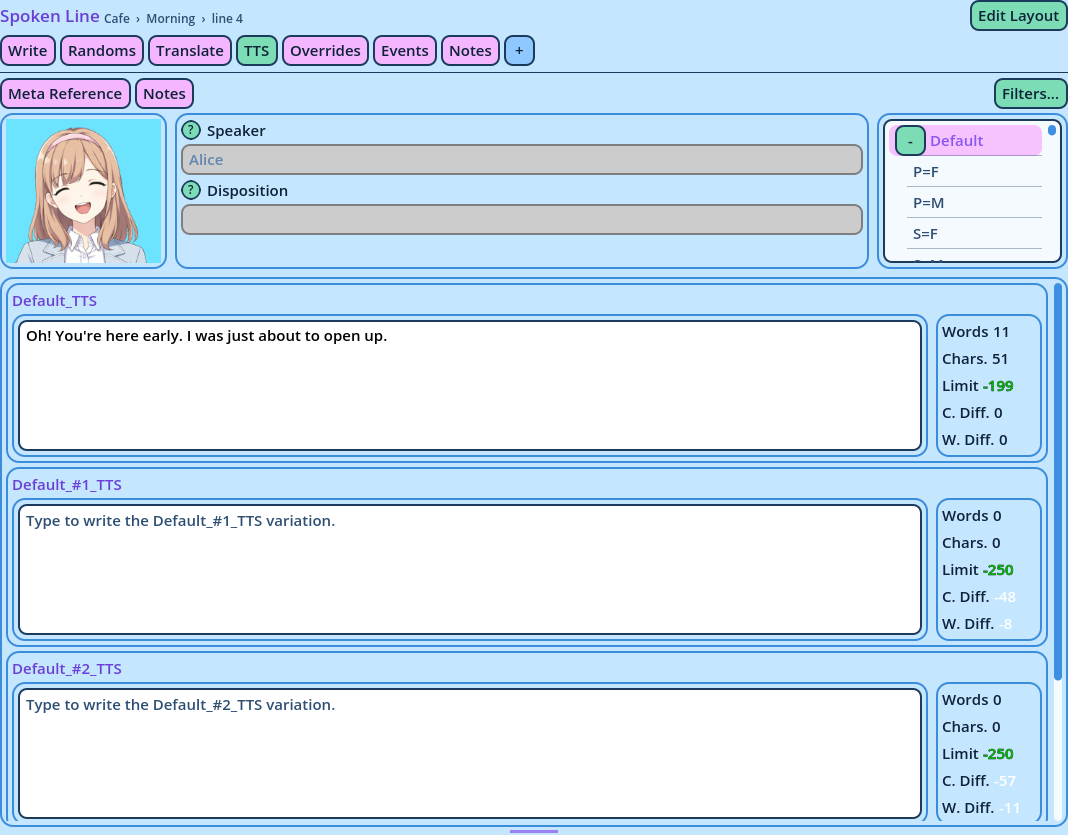
Every Variation has a TTS twin, named after it with _TTS at the end: Default_TTS, Default_#2_TTS. No setup is required.
Writing
Open the TTS tab of a Spoken Line.
In the Variation Selector, pick a Variation. The tab displays a Group for it and one for each of its random Variations. In each, type the text to be read.
Only write the ones that must differ. How a Line without a TTS Variation is read depends on its TTS mode: see the Candy Dialogue Engine documentation, under Speech > Voice > TTS.
TTS Variations are also listed in the Variation Selector, under their Variation, and can be written on the Write tab.
TTS Variations have no voice file.
The Widget Behind These Tabs
The Randoms, Translate and TTS tabs are built with the same widget, the Variation Editor, in three of its modes. It repeats a small layout, the Group, for each Variation, and the Group layout is yours to design. See Variation Editor.