

Variation Selector
The Variation Selector lists the Variations of a Spoken Line, and picks the one the other widgets work on: the Speech Editors, Speech Viewers, Variation Properties, Voice Previews and Counters that have the same reference.
See Variations for what Variations are.
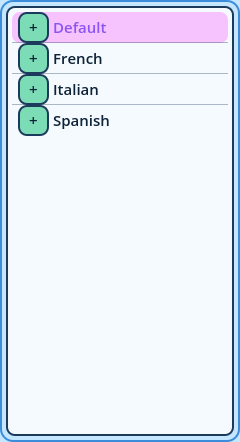
Default
    TTS
    S=F
        TTS
French
    TTS
    S=F
TTS- Each language is followed by its other Variations: its tag combinations and its random Variations.
- Each Variation is followed by its TTS twin, one level deeper.
- The Variations the Line has text for are displayed normally. The others are dimmed.
- The button in front of a language folds and unfolds its Variations.
| Option | Description |
| Reference | Widgets sharing this reference display the Variation picked here. |
| Show the title and settings button | Off leaves more room for the list. The settings are then only in the right-click menu. |
| Hide variations with these tags | Tags to leave out of this list, separated by commas. A tag without = hides every value of it: S hides S=F and S=M. |
| Hide variations with a random tag | Leaves the random Variations out of this list. |
| Hide TTS variations | Leaves the TTS twins out of this list. |
| Minimum Size, Maximum Size | The minimum and maximum size of the widget's area. |
- Two selectors and two Speech Editors display two Variations side by side.
- A Counters widget has two references, to compare the Variation of one selector with the Variation of another.
- A Variation Editor requires one selector for the language translated from, and another for the language translated to.