

Portrait Backgrounds
Settings > UI > Portrait Backgrounds
A background color or picture for each Actor and each Role, displayed behind their portraits in every Portrait Preview widget.
A Portrait Preview has a background of its own, set in its Options. A background set here for the Line's speaker is displayed instead. This is useful when characters appear over different backdrops in your game: a dialogue box per faction, a color per character.
See Portrait Preview.
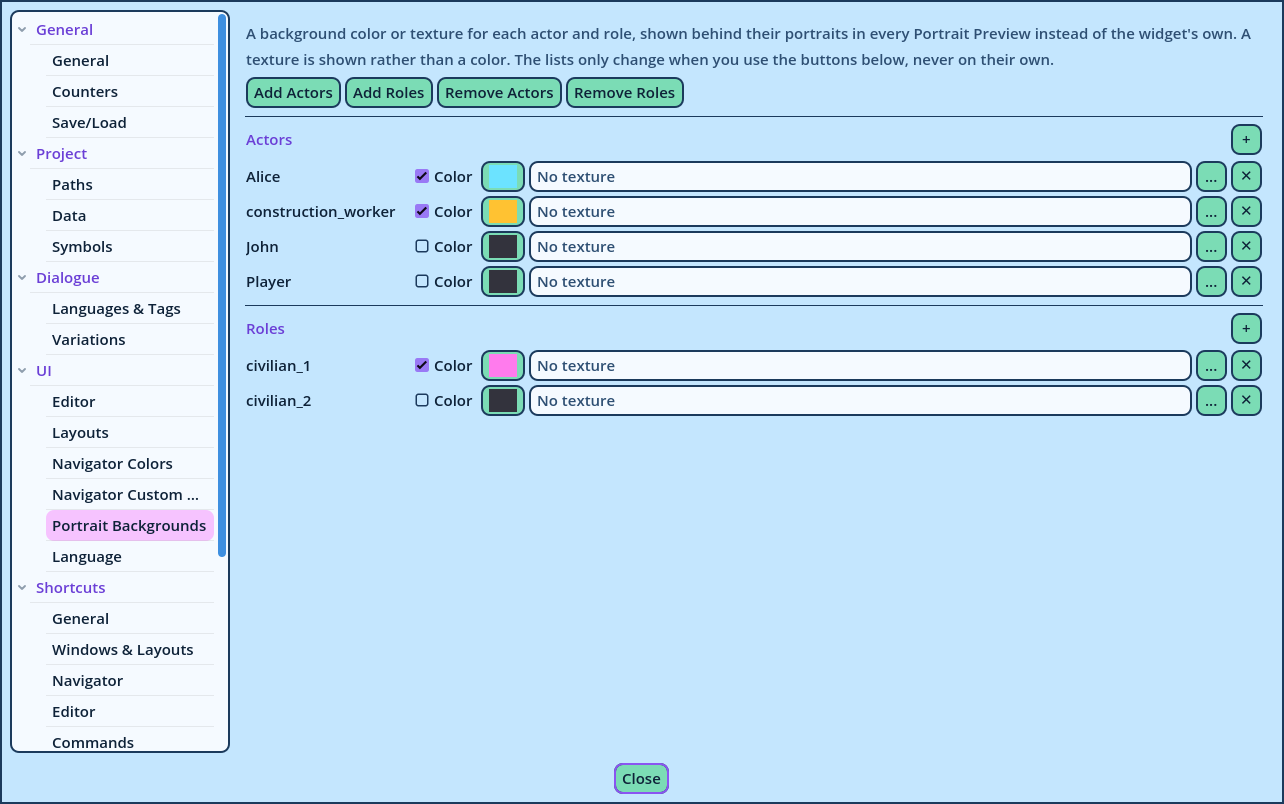
| Control | What it does |
| Color and its color button | Tick the box to display the color. |
| The texture field and its browse button | An image on your disk, displayed behind the portraits. Empty for none. |
| × | Removes the row and its background. |
| Button | What it does |
| Add Actors, Add Roles | Adds the Actors or Roles of the Data page that aren't listed here yet. |
| Remove Actors, Remove Roles | Removes the ones the Data page no longer has, with their backgrounds. |
| +, beside a list's title | Adds one Actor or Role by name. |
- The backgrounds are only displayed in Candy Dialogue Creator. They aren't exported, and change nothing in your game.
- A texture is a file on your computer. A profile used on another computer needs the file at the same place there.