

Counters Settings
Settings > General > Counters
What every Counters widget shares: the character limit of spoken text, and the colors of the numbers. The widget itself is described in Counters.
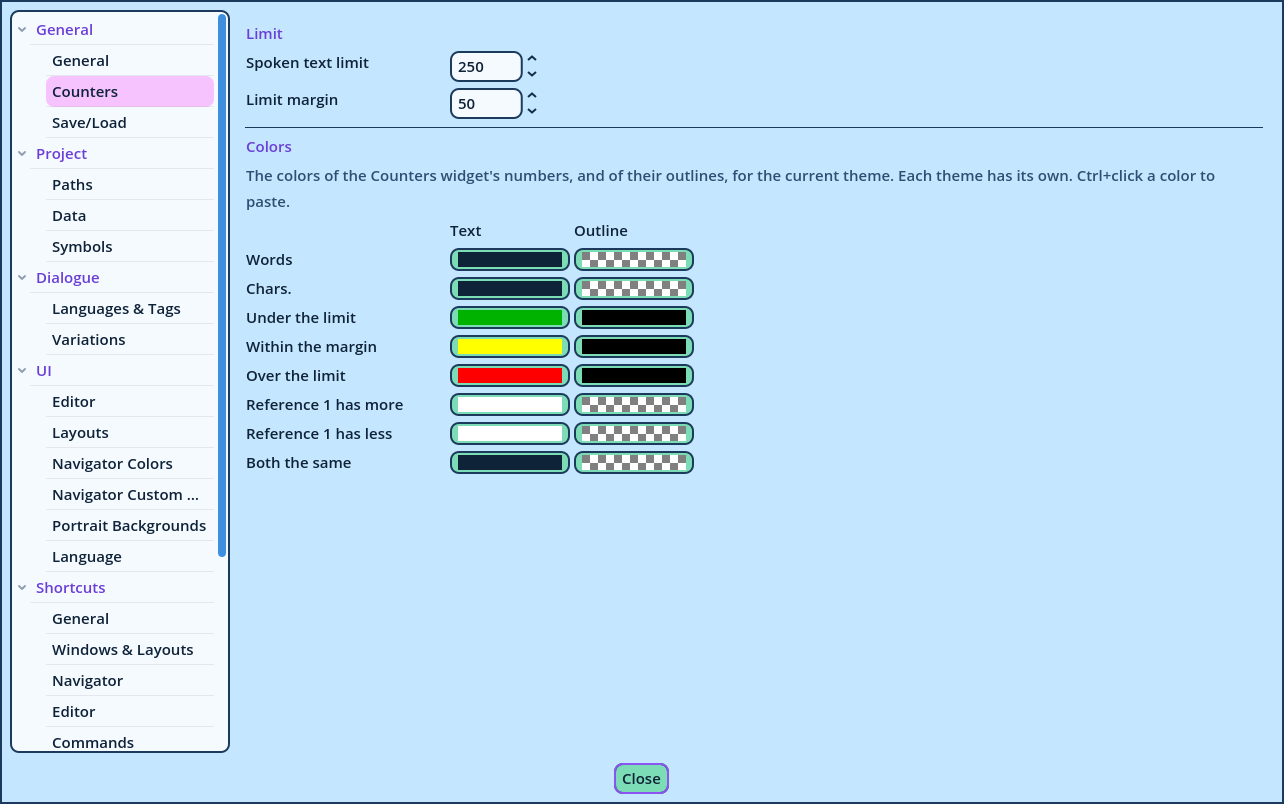
| Setting | Default | Description |
| Spoken text limit | 250 | The number of characters a Spoken Line's text should stay under. The Limit counter displays how far the text is from it. |
| Limit margin | 50 | The number of characters before the limit at which the Limit counter changes color, to warn that the limit is near. |
| Row | Colors |
| Words | The number of words. |
| Chars. | The number of characters. |
| Under the limit | Limit, while the text is shorter than the limit minus the margin. |
| Within the margin | Limit, while the text is within the margin before the limit, or at it. |
| Over the limit | Limit, once the text is longer than the limit. |
| Reference 1 has more | C. Diff. and W. Diff., when the counted text is longer than the one it's compared with. |
| Reference 1 has less | The same, when it's shorter. |
| Both the same | The same, when both have the same length. |
- Copy and Paste copy a color to another. Ctrl+click a color also pastes.
- Remove Override restores the theme's color.