

Editor
Settings > UI > Editor
Settings of the editing interface: dividers and moving Areas, the previews of media files, the Advanced Speech Editor's tag markers, and undo.
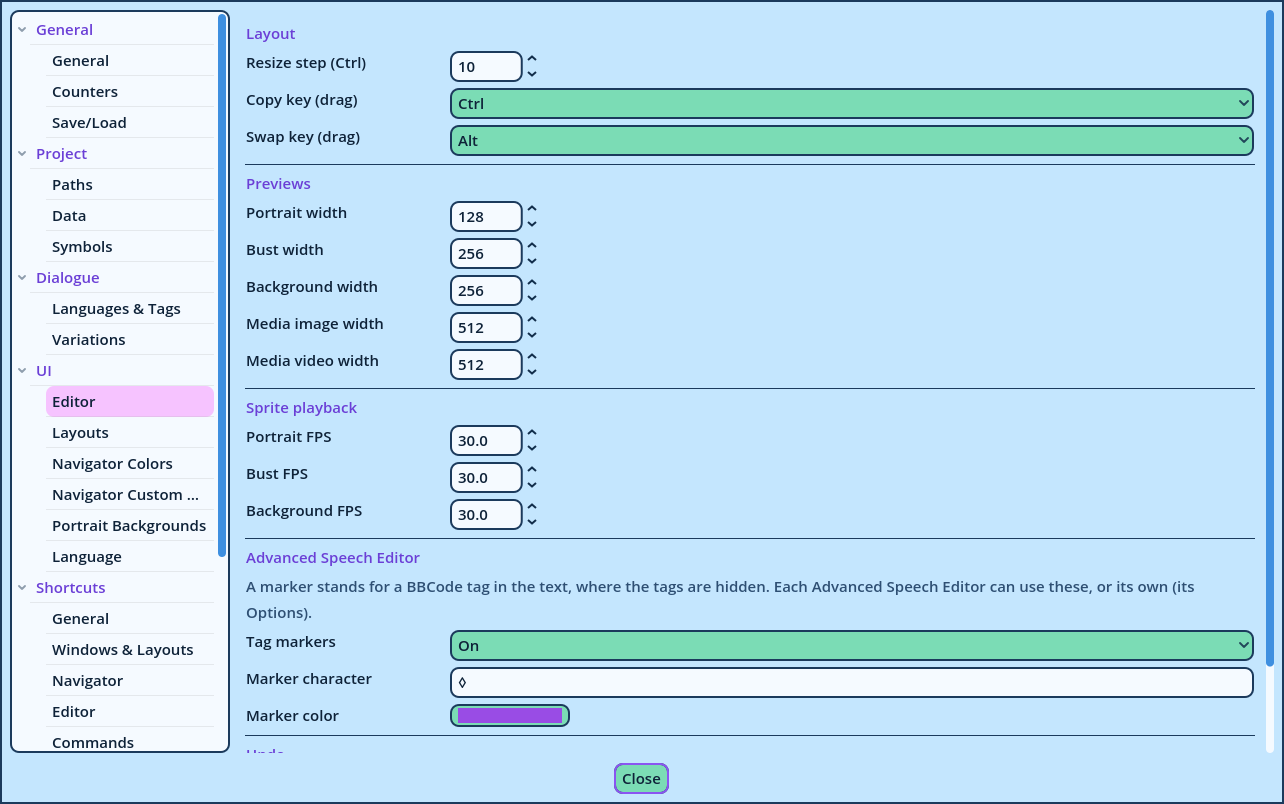
| Setting | Default | Description |
| Resize step (Ctrl) | 16 | Dragging a divider between two Areas with Ctrl held moves it in steps of this many pixels. |
| Copy key (drag) | Ctrl | In Edit Layout mode, an Area dropped with this key held is copied, and the original stays in its place. |
| Swap key (drag) | Alt | In Edit Layout mode, an Area dropped on the middle of another with this key held swaps places with it. On some systems, holding Alt while dragging moves the whole window: choose another key there. |
| Setting | Default | Preview of |
| Portrait width | 128 | A portrait, in a Spoken Line. |
| Bust width | 256 | A bust, in a VN Play. |
| Background width | 256 | A background, in a BG Play. |
| Media image width | 512 | An image, in a Media Play. |
| Media video width | 512 | A video, in a Media Play. |
| Setting | Default | Used for |
| Portrait FPS | 30 | Portraits, in the Portrait Preview and in the dropdown previews. |
| Bust FPS | 30 | Busts, in the dropdown previews. |
| Background FPS | 30 | Backgrounds and Media Play images, in the dropdown previews. |
| Setting | Description |
| Tag markers | Off: no markers. On: a marker for every tag. Smart: a marker for a tag and its closing tag with nothing between them, and for the tags at the start or end of a line, so that the caret can be placed before or after them. |
| Marker character | The character a marker displays. One character. |
| Marker color | The color of the markers. It is lightened or darkened where it would blend into the text's background. |
| Setting | Default | Description |
| Maximum steps | 25 | The number of edits that can be undone. 0 means no limit. |
| Maximum memory (MB) | 0 | The memory the undo history can occupy. 0 means no limit. |