Candy Logo

Paths
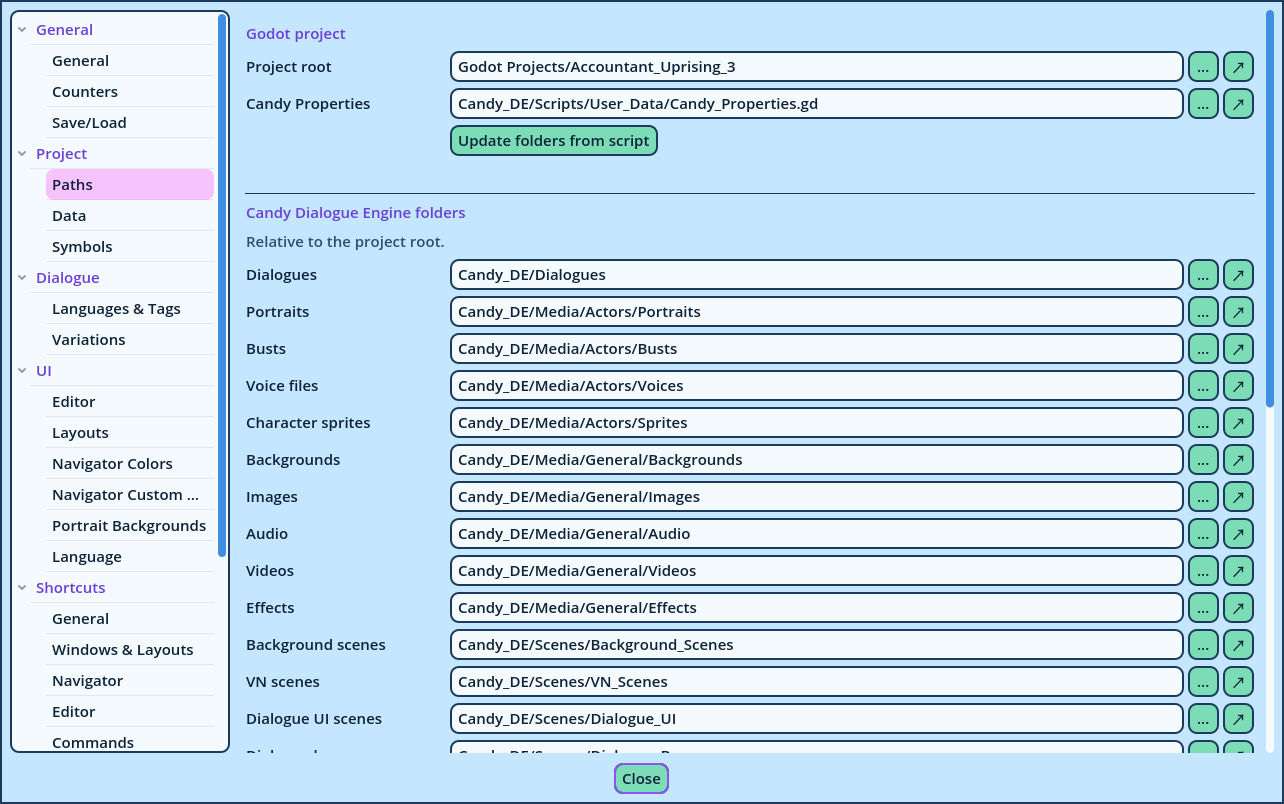
Settings > Project > Paths Where your Godot project is, and where Candy Dialogue Engine stores its files in it. Candy Dialogue Creator lists the files of these folders in its dropdowns, previews them, and checks the file names you enter against them.
Settings Paths
Godot Project
SettingDescription
Project rootThe folder that contains project.godot: what Godot calls res://.
Candy PropertiesYour project's Candy_Properties.gd. It's the same setting as on the Symbols page.
Update folders from scriptReads the folders below from Candy_Properties.gd. A line under the button states how many were updated, and which weren't found.
Each path has a button to browse for it, and one to show it in your file manager. Candy Dialogue Engine Folders One folder for each kind of file. They are relative to the project root, so the profile stays valid if the project is moved: only the root has to be set again. A new profile starts with the folders of a standard Candy Dialogue Engine install.
FoldersUsed for
DialoguesWhere Dialogues are exported, and where Test writes test_dialogue.txt.
Portraits, Busts, Voice files, Character spritesFiles sorted by Actor: each Actor has a folder of their own in these. They fill the portrait, bust and voice dropdowns, and the previews.
Backgrounds, Images, Audio, Videos, EffectsMedia files. In Audio, Videos and Images, each media player has a folder named after it: that is how Candy Dialogue Creator determines a player's type.
The scene foldersThe scenes of each kind of UI element: background and VN scenes, dialogue boxes, subtitles, speech bubbles, barks, chat, history menus, image players, player input, choice menus, categories and buttons. They fill the dropdowns of the fields that name a scene.
Testing scenesThe scenes offered in the Test button's menu.
Dialogue mode scriptsThe Dialogue Modes of your project, listed where a mode is chosen.
When Folders Are Scanned Candy Dialogue Creator scans these folders:
  • When the profile opens.
  • When the Settings window closes with a changed root or folder.
  • When Refresh is pressed in the top bar.
The folders aren't watched: a file added to the project while Candy Dialogue Creator is open is listed after a Refresh.