

Variation Editor
The Variation Editor edits several Variations of a Spoken Line at once. It repeats a small layout of widgets, called a Group, once per Variation, and stacks the Groups one under the other.
It's what the Randoms, Translate and TTS tabs of the default Spoken Line form consist of. See Translating and Random and TTS Variations for how to use those tabs. This page describes the widget's setup.
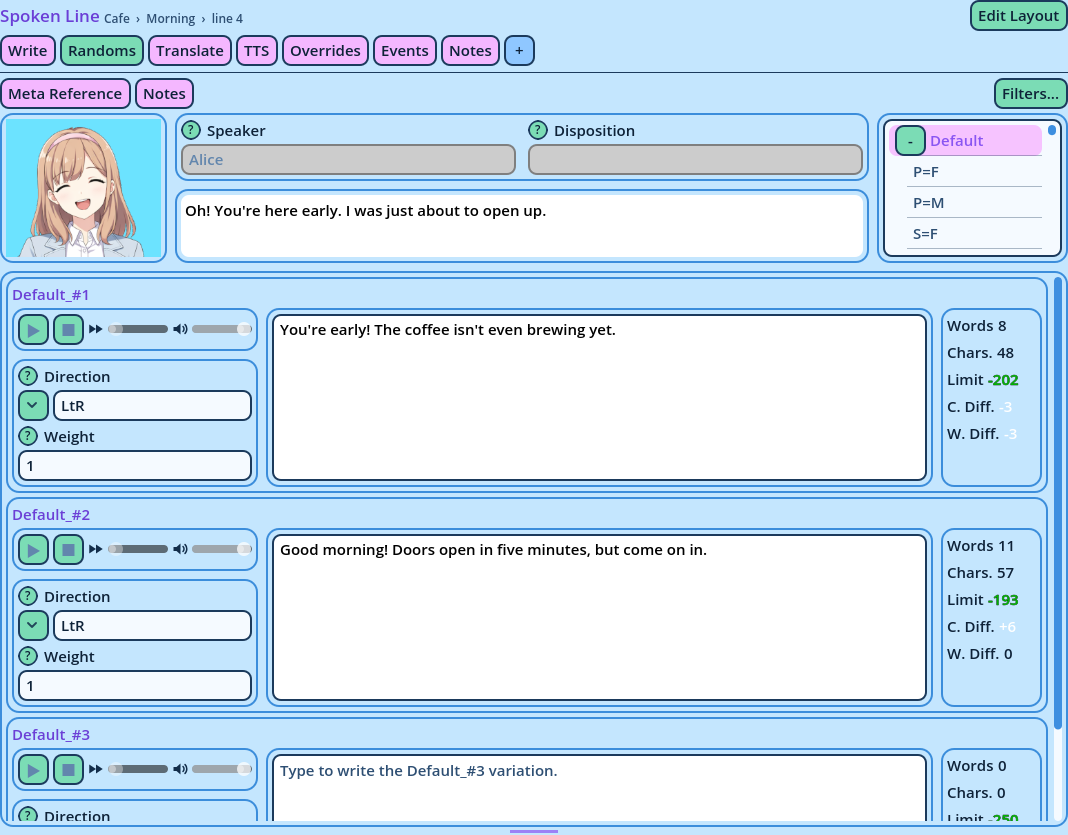
- A Variation Selector outside the widget, its Main Selector, picks a Variation.
- The widget reads that Variation without its random and TTS tags: its base Variation. With
French_S=F_#2_TTSpicked, the base Variation isFrench_S=F. - It then builds one Group per Variation, depending on its mode.
- Each Group displays the name of its Variation, over the widgets of the mode's Group layout.
| Mode | Groups |
| Random | One per random Variation of the base Variation: French_S=F_#1, French_S=F_#2... |
| TTS | One for the base Variation, then one per random Variation, each to write its TTS twin. |
| Translate | One per Variation, each showing it in two languages: the Main Selector's, translated from, and the Translate To selector's, translated to. |
| Edit Layout | A single Group, with placeholder text, to design a Group layout. |
| Widget | Displays |
| Speech Editor, Advanced Speech Editor | The Group's Variation. In TTS mode, its TTS twin. In Translate mode, the language translated to. |
| Speech Viewer | The Group's Variation. In Translate mode, the language translated from, unless its Translation option is on. |
| Voice Preview, Variation Properties | The Group's Variation. Variation Properties are left out of TTS mode. |
| Counters | Random: the Variation against the base one. TTS: the TTS twin against its Variation. Translate: the translation against the original. |
| Option | Description |
| Main Selector | The reference of the Variation Selector whose Variation the Groups are made from. In Translate mode, the language translated from. |
| Translate To | Translate mode: the reference of the Variation Selector whose language the text is translated to. |
| Ref Prefix | The start of the references the widget assigns its Groups. Assign each Variation Editor of a tab its own prefix, so their Groups don't mix. |
| Mode | Random, TTS, Translate or Edit Layout. |
| Translate Groups | Translate mode: which Variations receive a Group. See below. |
| Random layout, TTS layout, Translate layout | The Group layout each mode displays: one of the saved layouts, or the copy the widget already contains, marked "in use". |
| Minimum Size, Maximum Size | The minimum and maximum size of the widget's area. |
| Choice | Groups |
| All variations of both languages | The bare language, every tag combination and every random Variation. |
| The selected variation and its randoms | The Main Selector's base Variation, then its random Variations. |
| The selected variation only | The Main Selector's base Variation alone. |
- A Variation Selector, with the reference typed in Main Selector.
- For Translate mode, a second Variation Selector, with the reference typed in Translate To.
- The Variation Editor itself, with a Group layout for its mode.