

Command Editor
The Command Editor edits the Command that a Condition runs: the one picked in the Type field of an If, Elif, Else, For or While command.
It is a Dialogue Editor inside the Dialogue Editor. It displays the Command with the form it has on a Line of its own: the same tabs, widgets and filters, and its own Edit Layout button.
Until a Command is picked, it says "Pick a command in Type."
See Conditions for how Conditions are written.
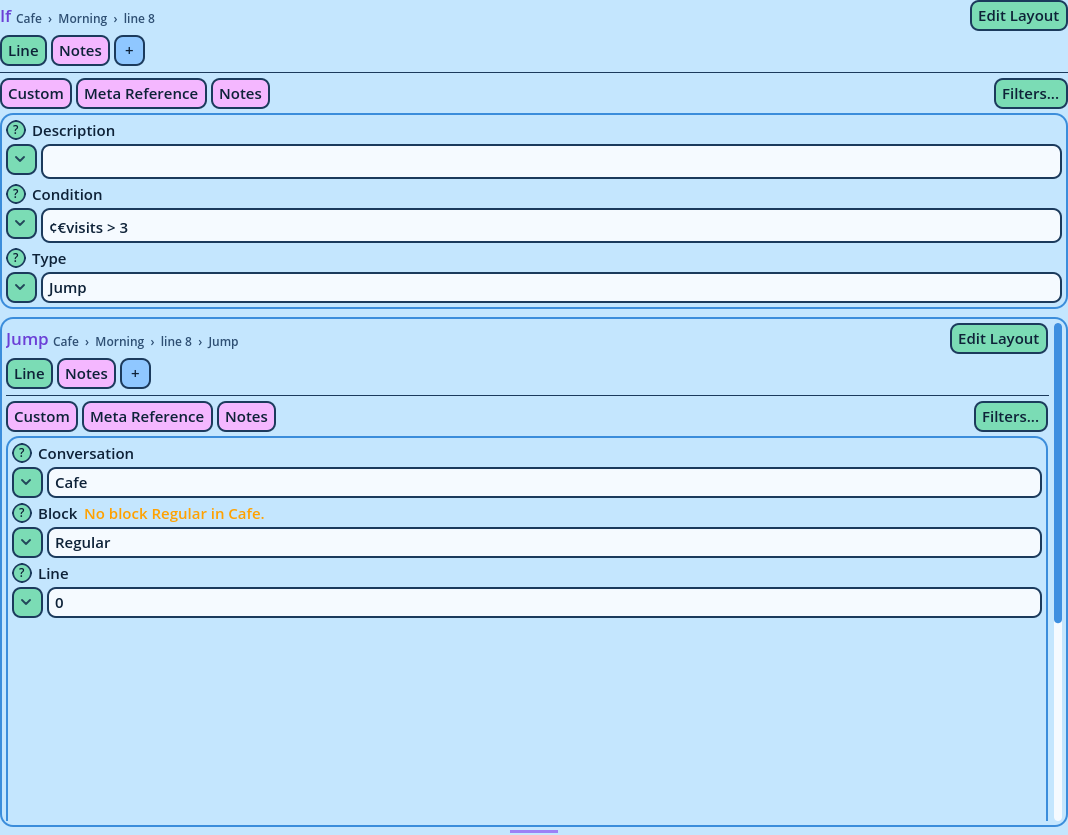
- With Scroll on, the Command Editor scrolls to display it all.
- With Scroll off, the Command Editor occupies that height, and the Dialogue Editor around it scrolls.